Table of Contents
- Improved Visibility of Past Events in Map View
- Enhanced Operational Visibility with Segregated Loading and Delivery Trips
- Order-Wise Payouts Visibility for Delivery Partners
- Automatic Recovery from Failed Routing Attempts
- Optimize Driver Schedules with Dynamic Break Timing
- Improved Order Assignment for Cross-Hub Operations
Let Our Experts Optimize Your Deliveries Today
Let's talkImproved Visibility of Past Events in Map View
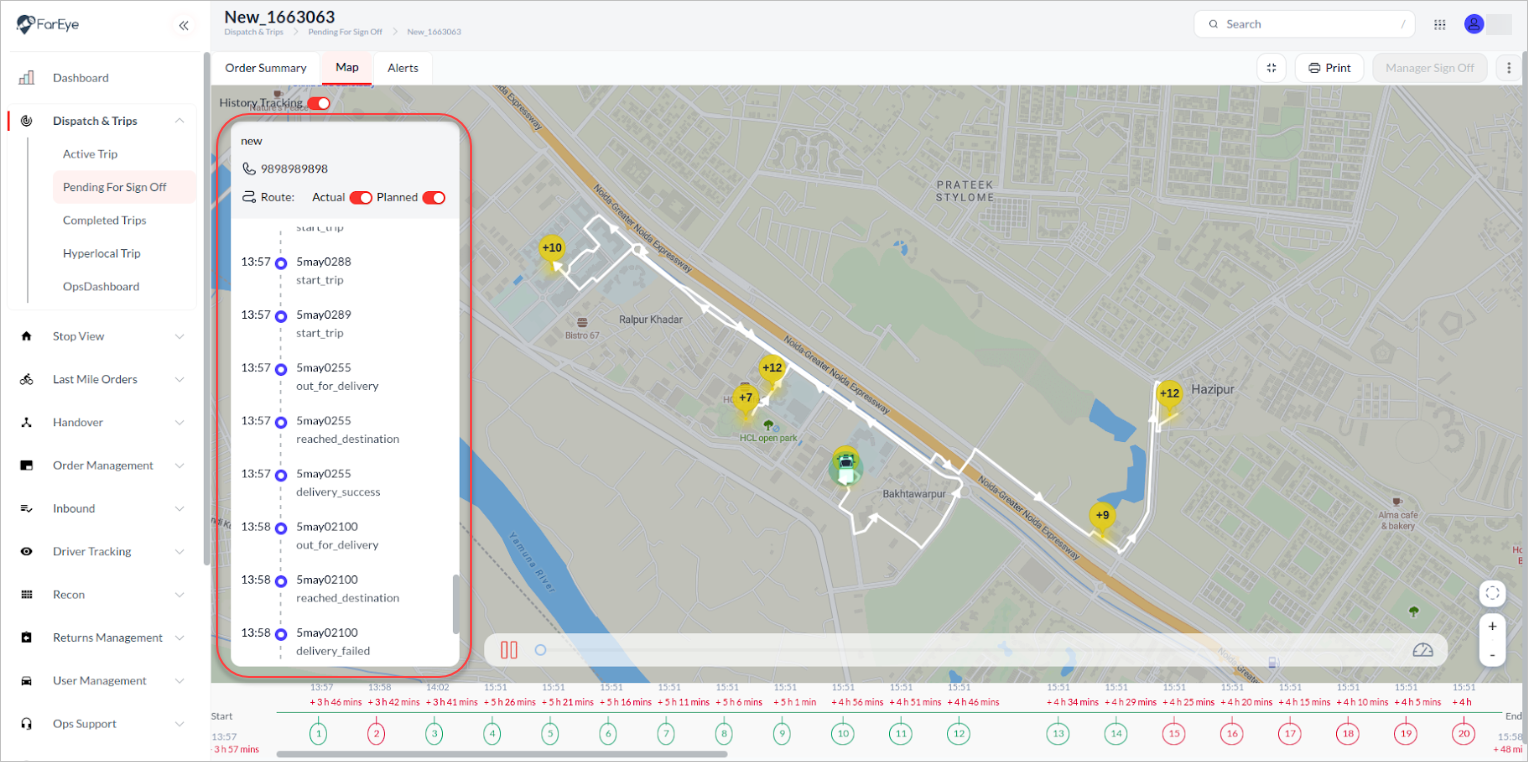
The expanded map view on the control tower now includes a dedicated left-side panel displaying historical tracking events. This layout enhances user experience by providing clear, organized access to event timelines alongside the map, enabling faster and easier review of past tracking data on Pending for Debrief and Completed Trips screens.
Enhanced Operational Visibility with Segregated Loading and Delivery Trips
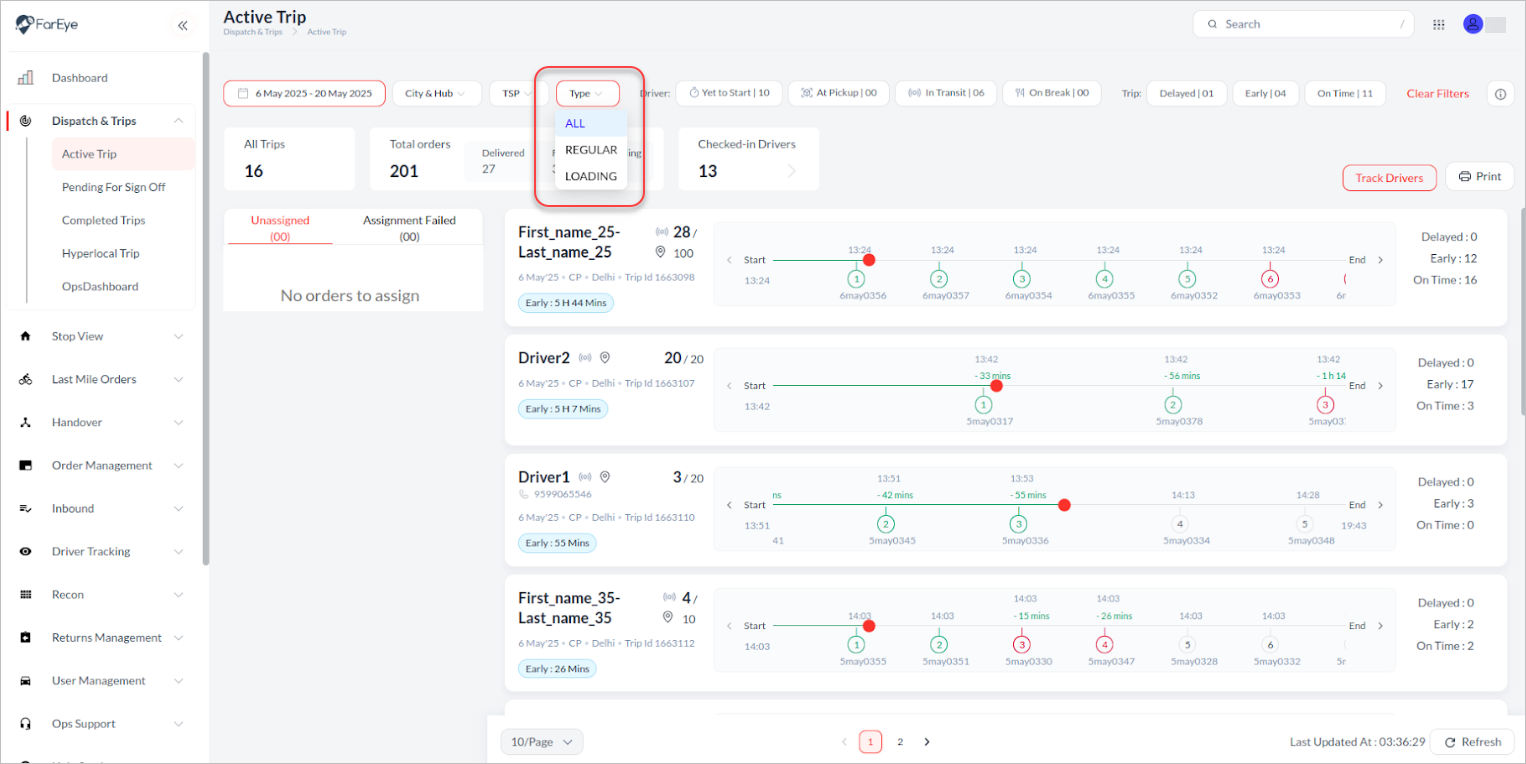
A Type filter is now available on the Active Trips, Pending for Sign Off, and Completed Trips pages, enabling users to filter between Regular and Loading trips. While Active Trips shows all trip types by default, the other views default to regular trips—helping teams focus quickly on relevant operations.
Order-Wise Payouts Visibility for Delivery Partners
Drivers can now view individual earnings for each shipment directly within the app. This enhancement promotes better transparency and motivation by clearly displaying the rate attached to every delivery, along with contextual tags (e.g., distance, weight) explaining differential pricing. With this visibility framework, delivery partners are empowered to understand earning breakdowns and make informed decisions—ultimately building trust and reducing on-ground confusion.
Automatic Recovery from Failed Routing Attempts
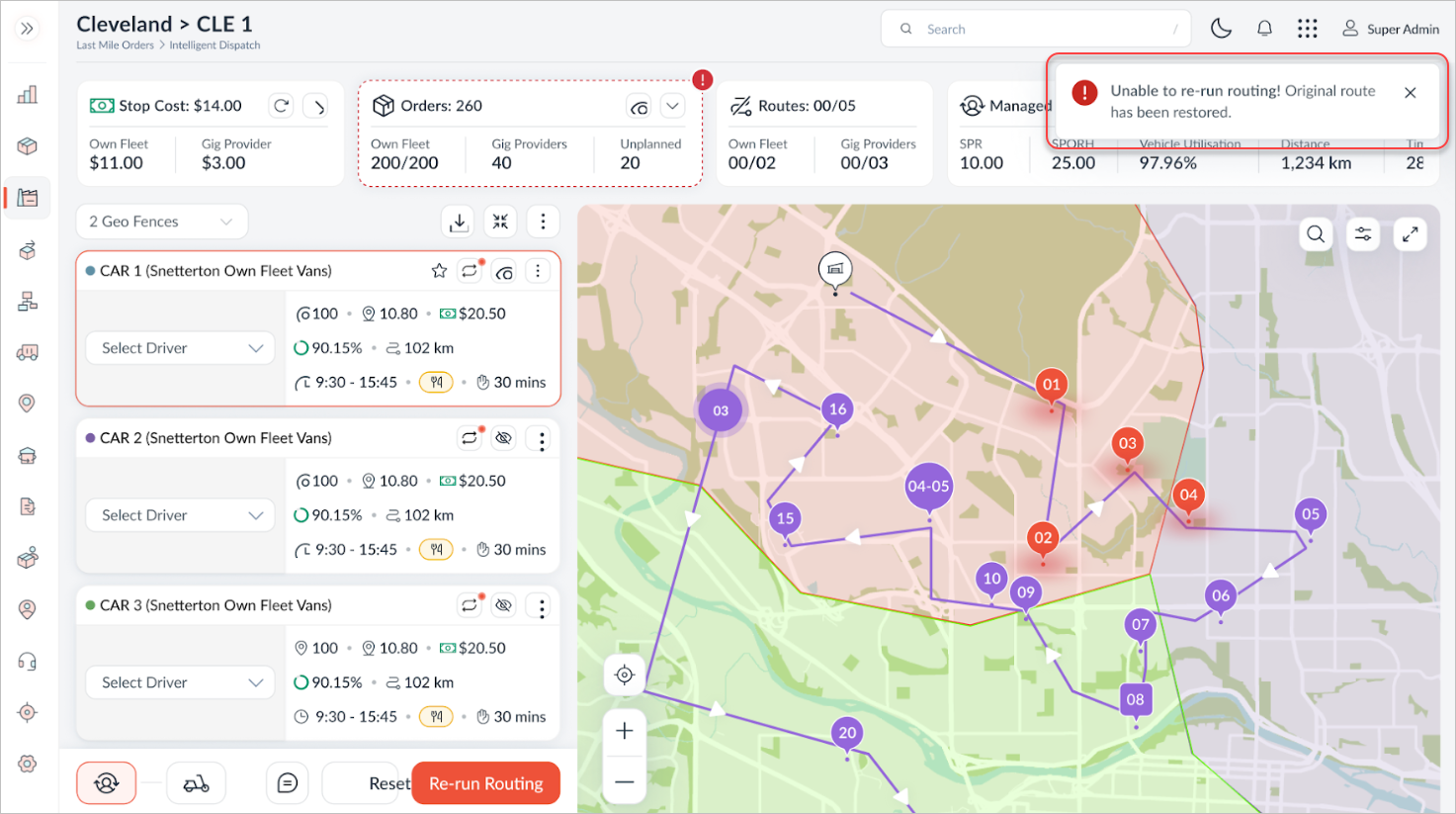
Routing may occasionally fail due to data inconsistencies, unavailable resources, or backend processing errors. With this enhancement, the system now automatically restores the last successful routing state—whether during initial planning or after post-creation changes along with all user preferences and order modifications. This ensures dispatchers can seamlessly resume their work without reapplying settings, improving planning efficiency and minimising disruption in time-critical operations.
Optimize Driver Schedules with Dynamic Break Timing
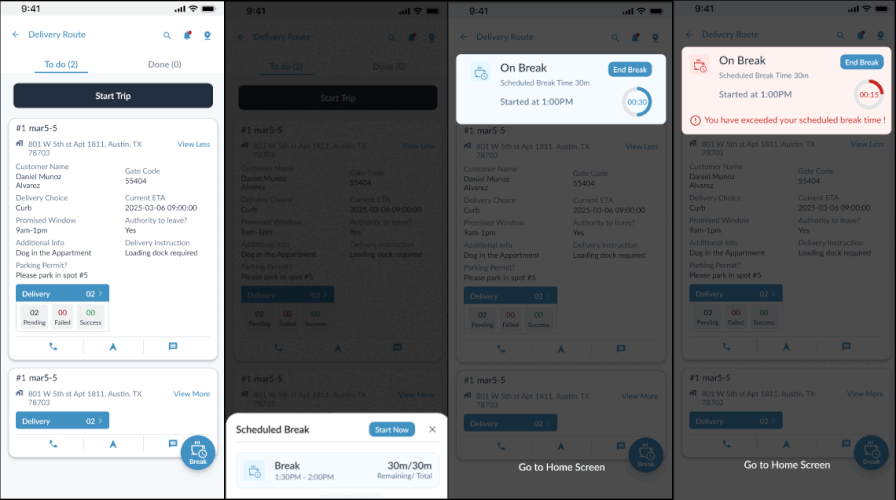
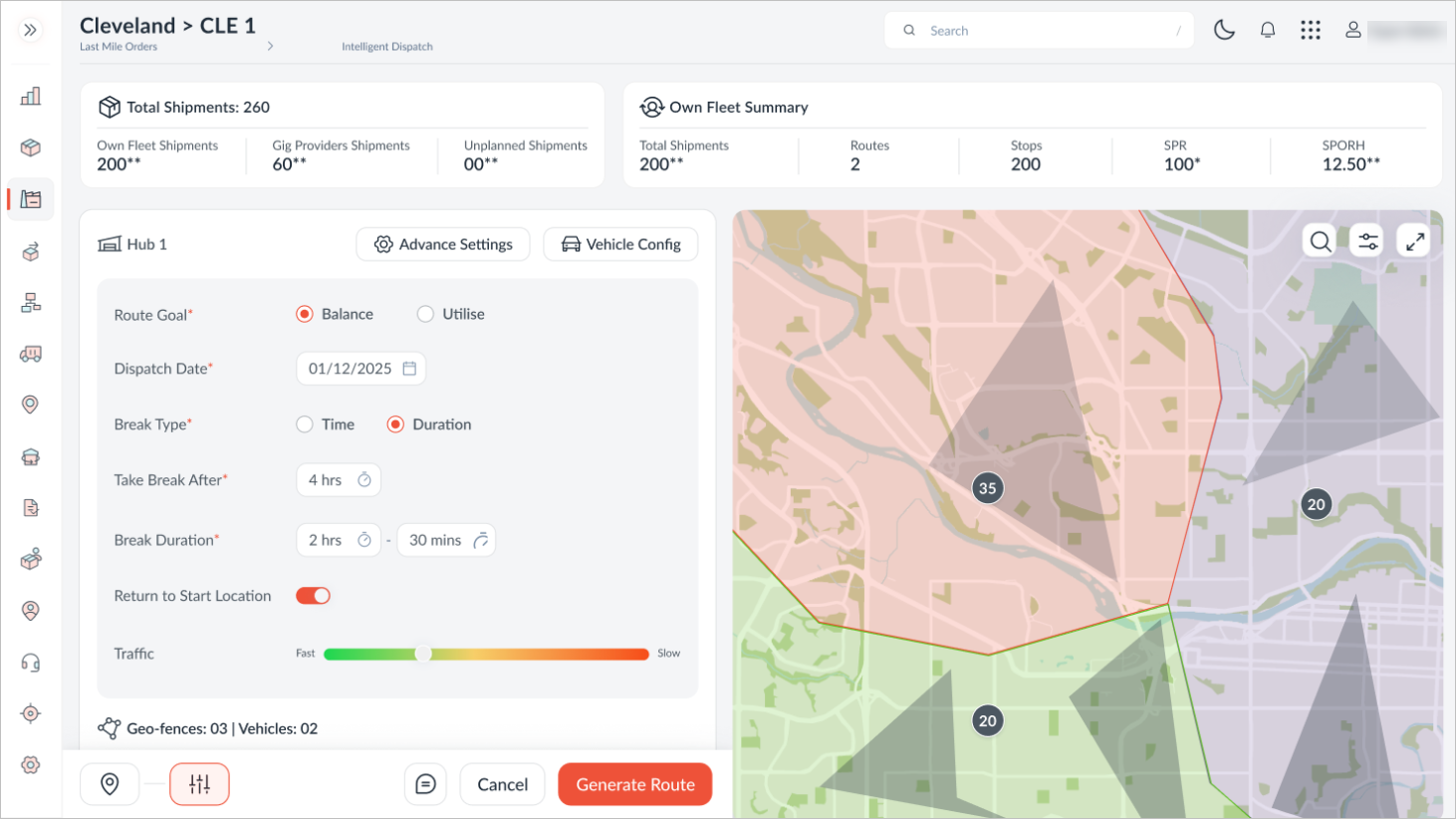
Break times can now be configured to occur after a specified duration following each vehicle’s dispatch time, rather than being fixed to a static time window. This dynamic setting enables breaks to align naturally with individual route start times, offering greater flexibility for drivers and improving overall schedule efficiency and accuracy. This change reduces inefficiencies from rigid break schedules, resulting in smoother route flow and less manual planning.
Improved Order Assignment for Cross-Hub Operations
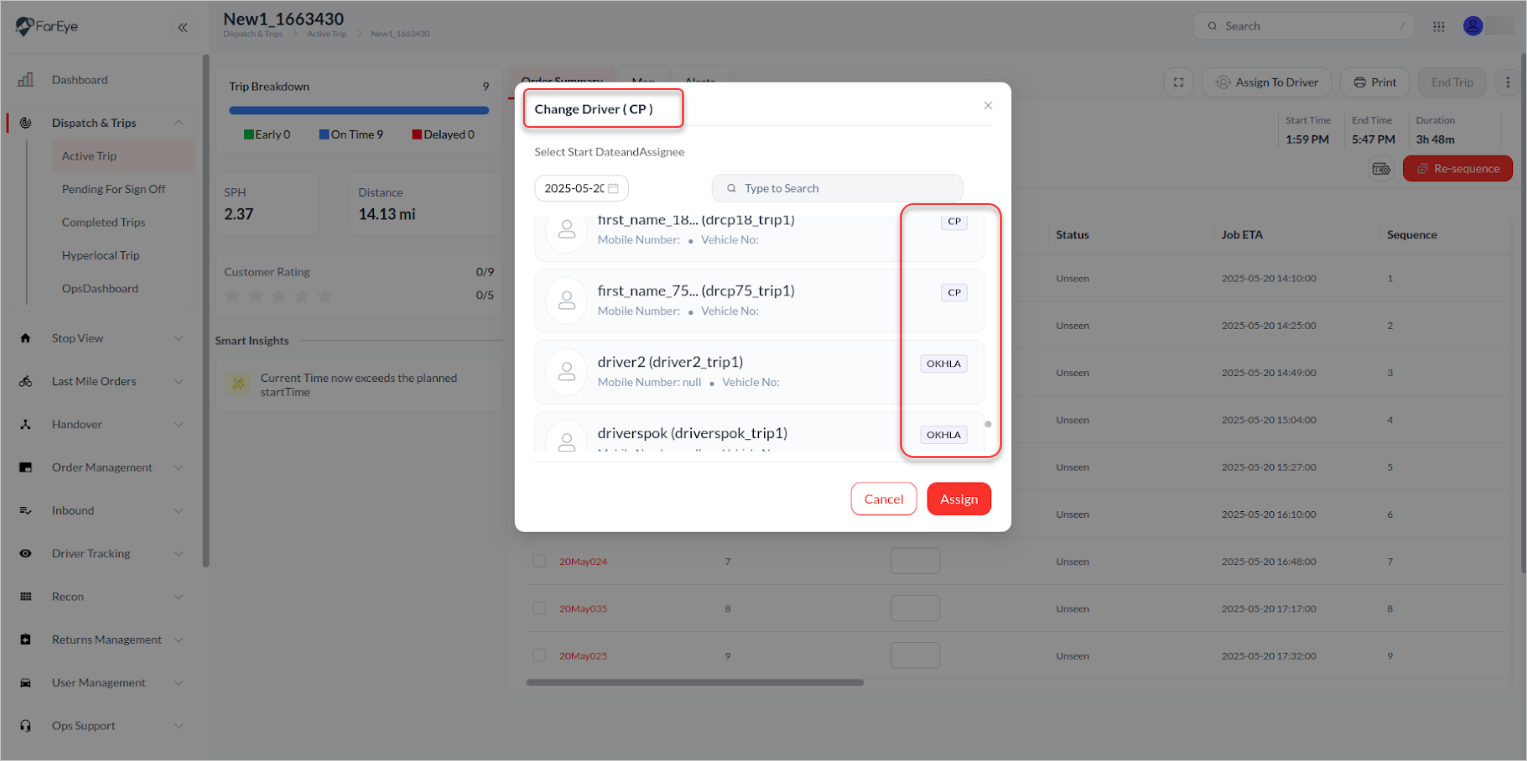
While assigning or reassigning jobs, the interface now displays the hub associated with each order directly on the screen. The current driver’s hub is highlighted in the screen title, while all available drivers are listed along with their respective hubs alphabetically, with the current hub shown first. This helps dispatchers make quicker, more informed assignment decisions by clearly identifying each driver's associated hub.