Table of Contents
Let Our Experts Optimize Your Deliveries Today
Let's talkComprehensive Agent Workflow Portal for PUDO Operators
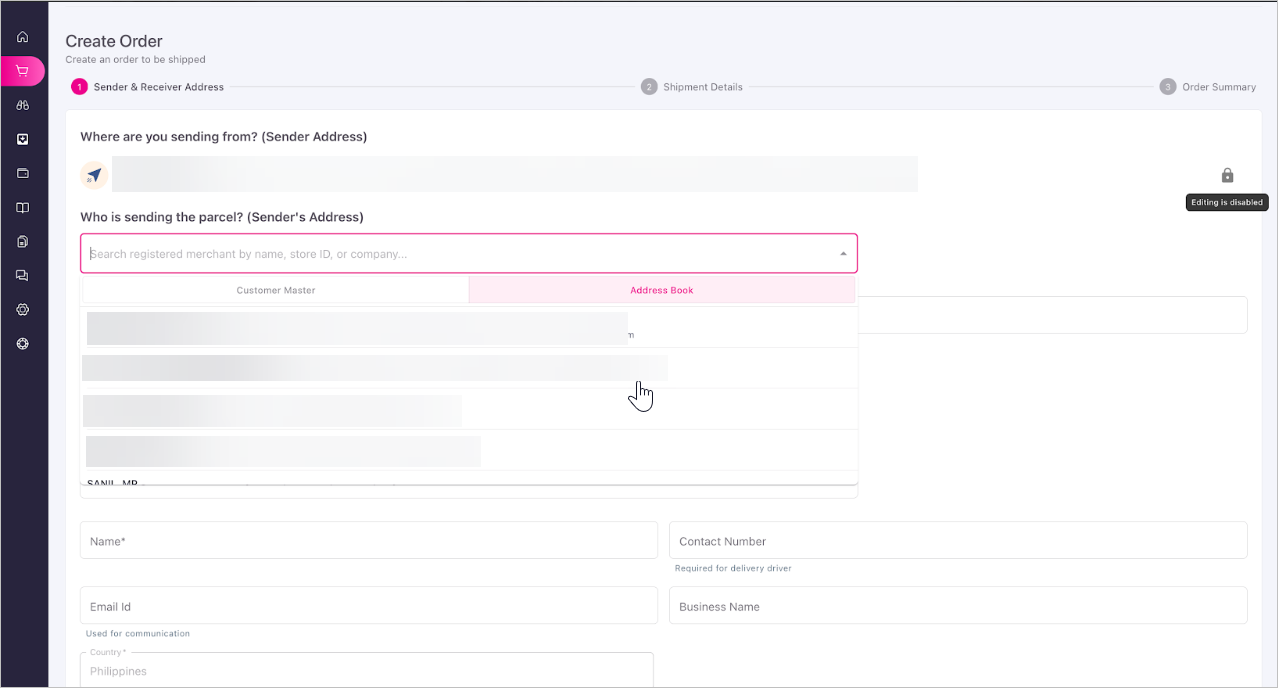
A new dedicated portal has been launched for PUDO (pick-up drop-off) operators, providing a single, unified workspace to book shipments for walk-in and registered customers, manage wallet-funded transactions, and efficiently handle the physical handover or return of packages.
- Streamlined Order Creation: Includes auto-filling contact details, locked store addresses to prevent errors, and automatic wallet debiting and commission crediting upon label generation.
- Handover & Bulk RTO Management: A new Handover page lets agents track inventory with colour-coded statuses, filter for ageing stock, capture digital signatures/PODs, and process bulk Return to Origin (RTO) requests at once.
- Real-Time Status Sync: Agent updates, such as confirming handovers or initiating returns, instantly reflect on the customer-facing tracking page without requiring manual syncs.
Manual Wallet Funding and Transaction Management
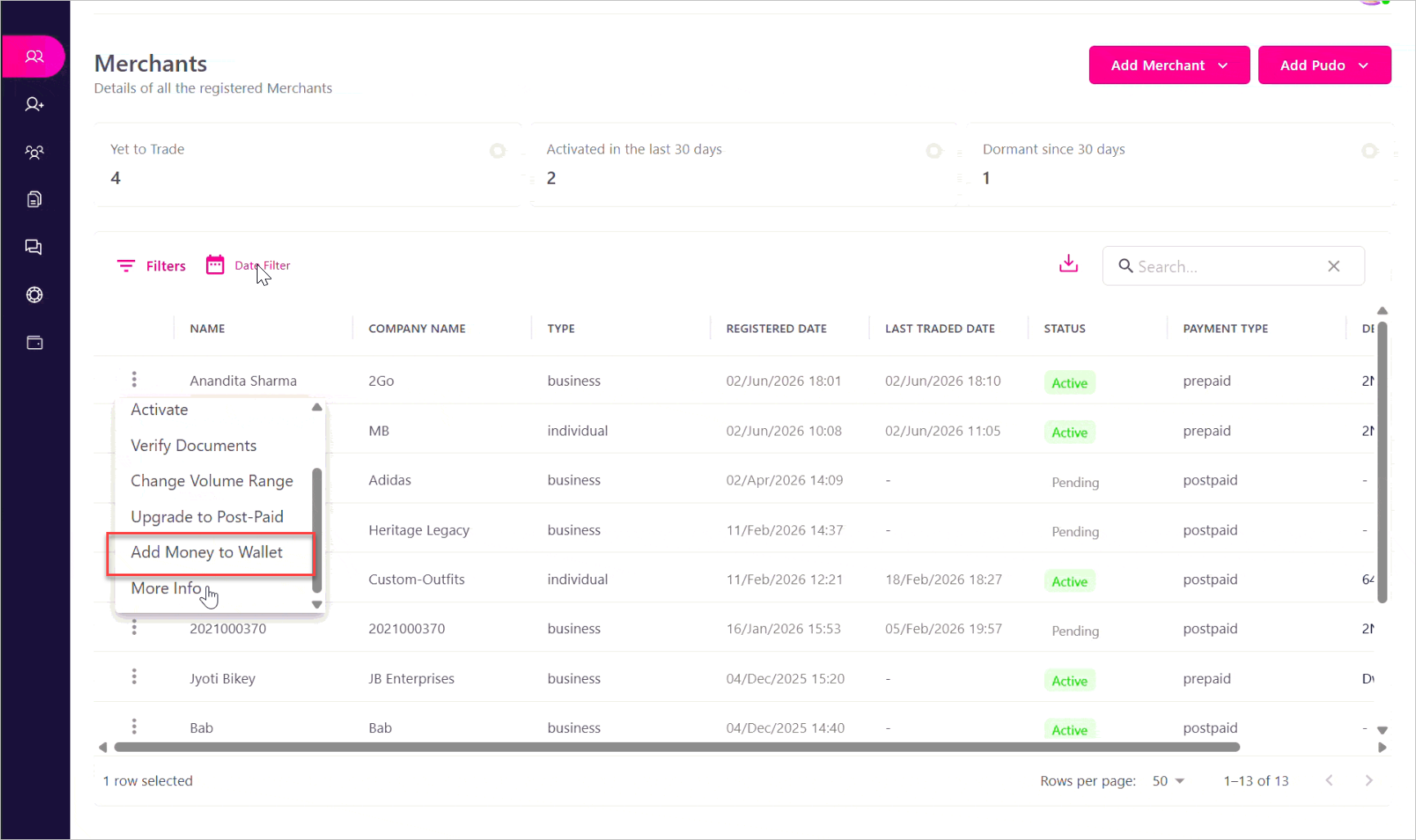
Finance admins and authorised tenant users now have the immediate ability to manually fund a prepaid merchant's wallet, specifically catering to customers who rely on offline bank transfers. By using the new "Add Money to Wallet" option directly on the merchant's page, admins bypass the need for an integrated payment gateway, so merchants can start creating orders without delay. To support this, the platform introduces a dedicated wallet transactions tracking page that includes essential security checks, an approval workflow, unique transaction identifiers, and a structured reversal process.
Key Updates:
- Direct Wallet Funding: Easily add credit using the new "Add Money to Wallet" feature directly on the merchants' list page. The funding screen displays essential merchant information and recent transactions and enforces configurable maximum transaction limits.
- Duplicate Prevention: To maintain strict financial accuracy, the system requires a unique Bank UTR number for every transaction, instantly rejecting and preventing any duplicate entries.
- Secure Approval Flow: To ensure strict checks and balances, manual wallet transactions require a two-step approval process. A finance executive cannot approve their own funding request; instead, the transaction is marked as "pending approval" until a second authorised manager reviews the summary and confirms the approval or rejects it with a specified reason.
- Dedicated Wallet Transactions Page: A new centralised page accessible from the sidebar lists all manual wallet credit transactions, each logged with a globally unique reference ID.
- Secure Reversals: Admins can easily initiate a "Reverse Transaction" if an error occurs. The system prompts the user to select a reversal reason and add remarks, then securely records the reversal as a separate debit entry in the database rather than deleting the original transaction record.
Enhanced Cross-Border Order Management and Clearance Workflows
To ensure smoother handling of diverse shipments, the order creation process has been updated to include specific categories for the type of delivery. This allows operations to easily identify shipments based on their destination requirements while introducing a dedicated setting to flag customs and document approvals right from the order forms.
Key Updates:
- Order Type Designation: When creating a new order, it can now be distinctly categorised as an export, import, or domestic shipment.
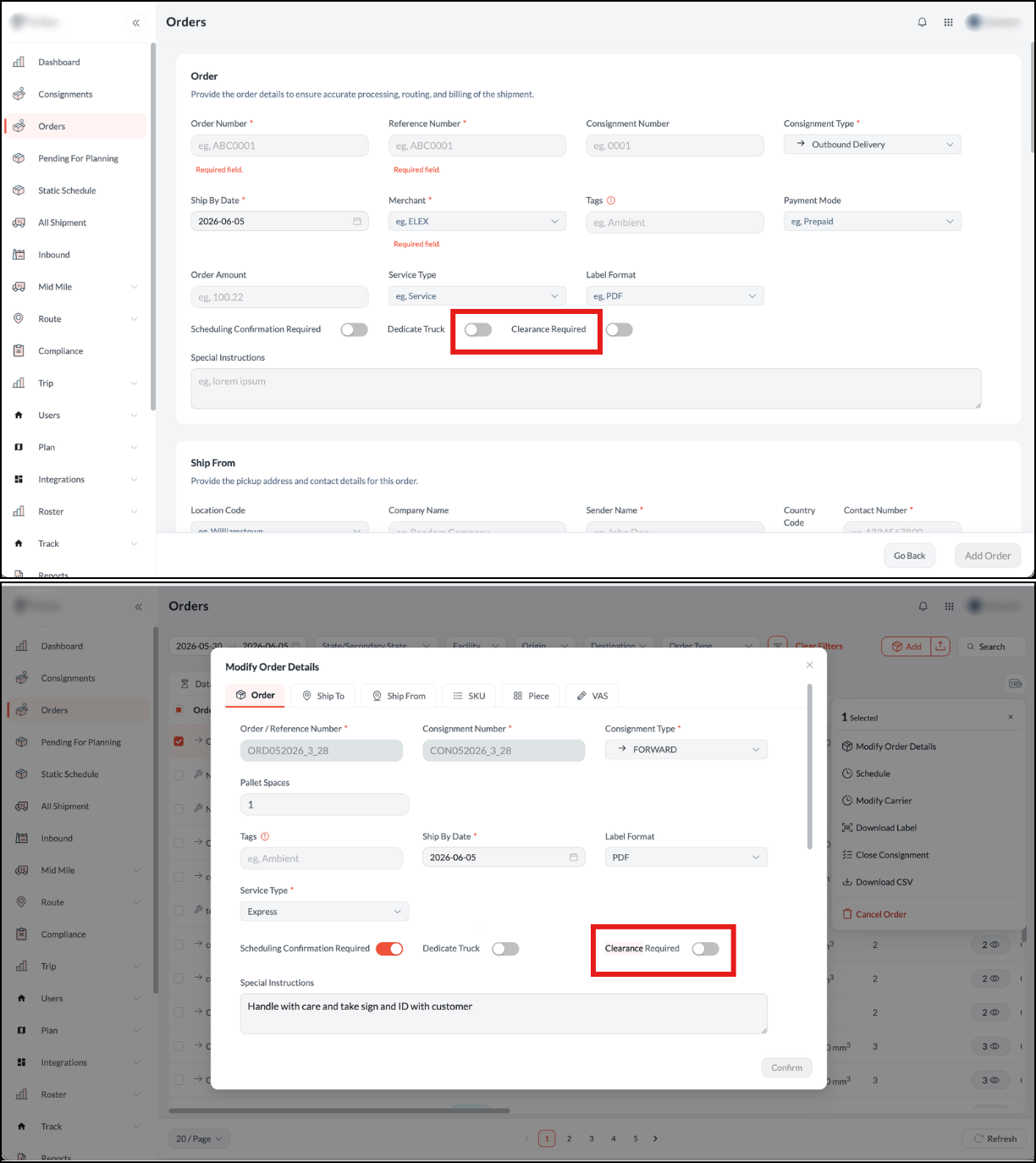
- Clearance Required Toggle: A new "Clearance Required" toggle is now available directly on the order creation form, and in Modify Order Details, you can easily mark orders that need document verification or approval from the very beginning.
New Language Addition: Slovenian
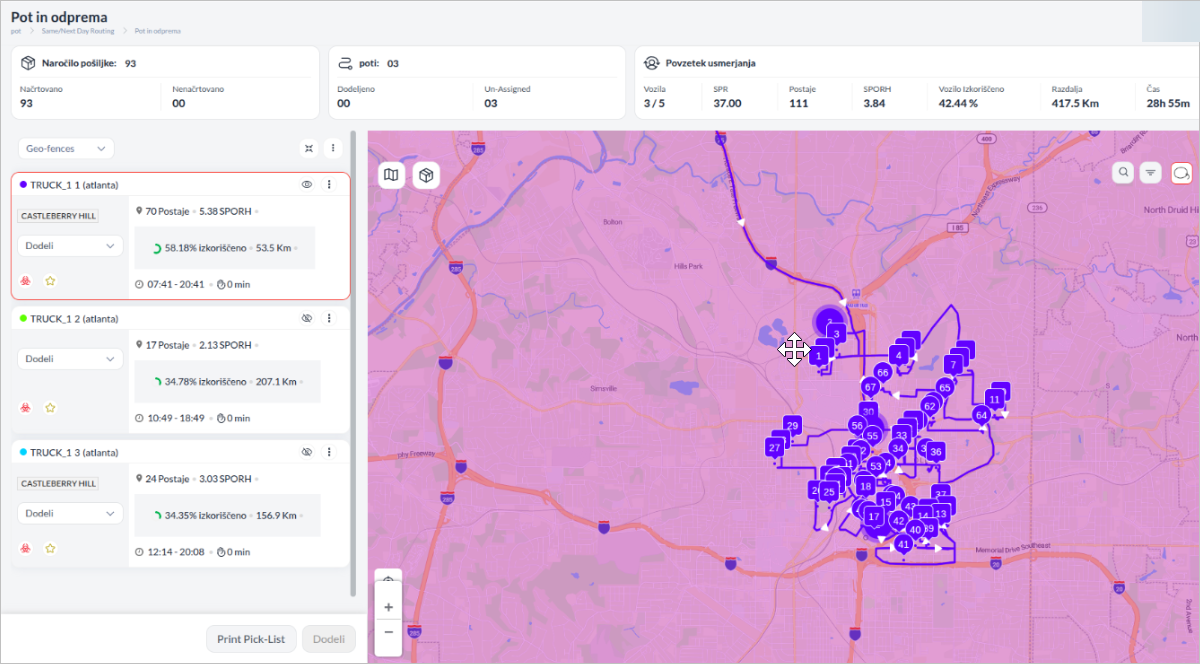
Language translation support has been expanded to include Slovenian. This addition makes the platform more accessible and user-friendly, allowing users to comfortably navigate and operate the system in their native language and improving overall communication across the platform.
New Merchant Filter on Map
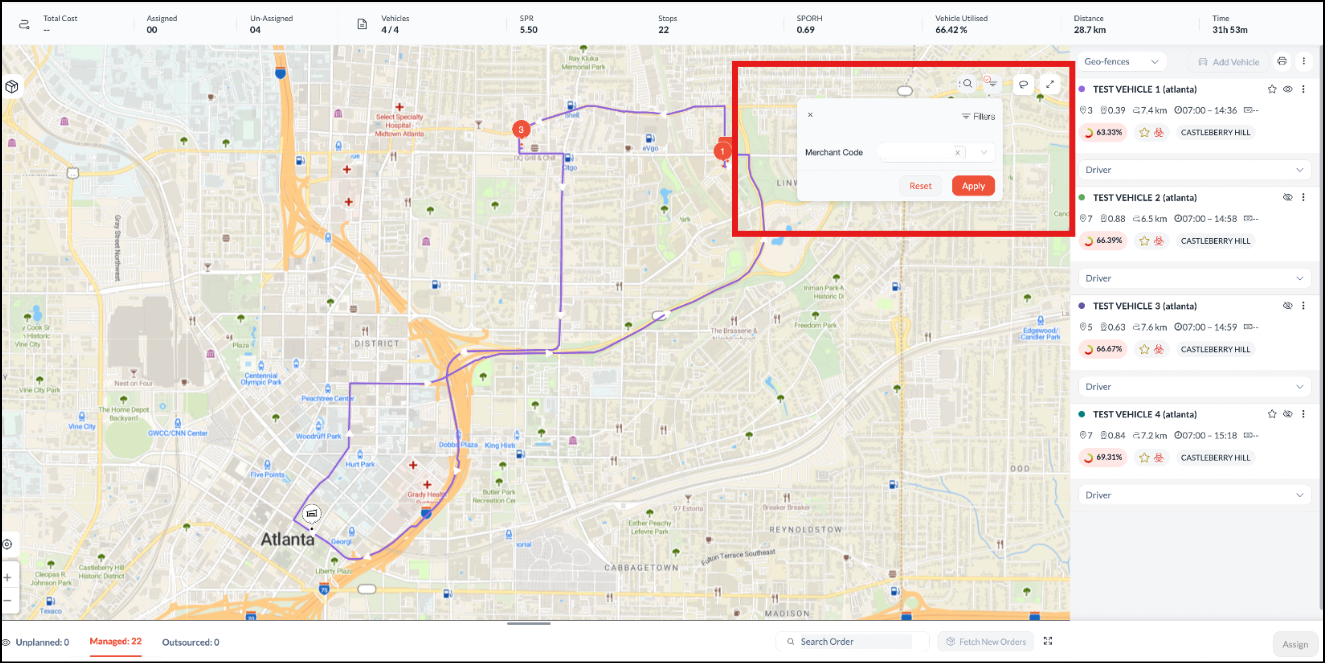
To easily focus on specific deliveries during route planning, a new multi-select Merchant filter is available directly on the map. Accessible in both the pre-routing and post-routing views, this tool allows dispatchers to select one or more merchants, and when a merchant is selected, the order will be highlighted on the screen. This simple update helps teams quickly analyse merchant-specific data and organize their spatial planning.
Simplified Consignment Order Creation
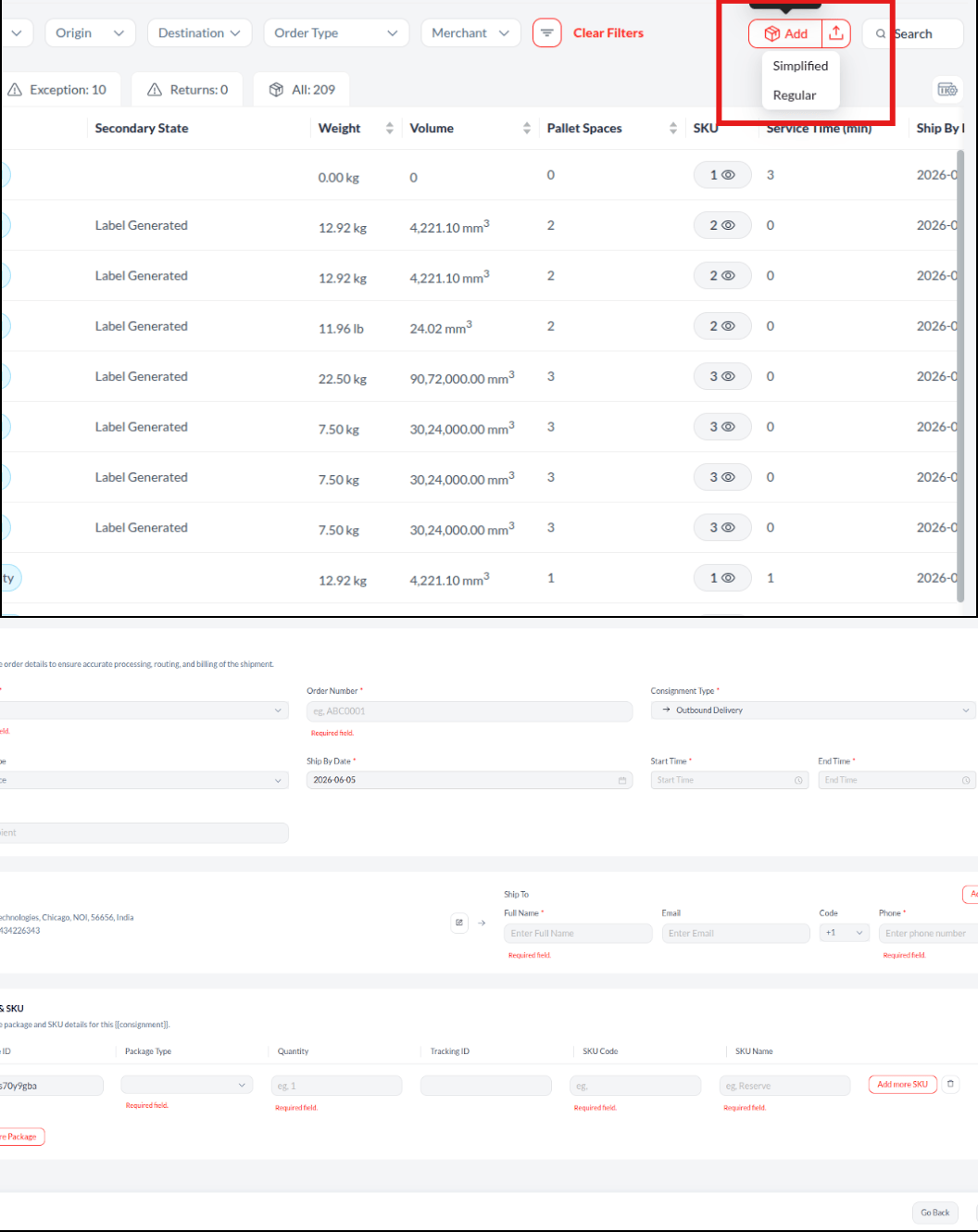
To streamline the generation of standalone or ad-hoc service orders, a new simplified form option is now available directly on the consignment management page. This interface focuses on essential details to speed up data entry by removing unnecessary clutter.
- Reduced Form Attributes: The simplified layout hides non-critical sections, such as package details or pickup times, providing a cleaner interface that makes manual order creation much faster.
- Editable Default Addresses: The "Ship From" address is automatically filled with a default hub location to save time during entry. However, this address remains fully editable, allowing users to manually update the location details via a pop-up whenever a different origin is required.
Flexible Merchant Pickup Requests
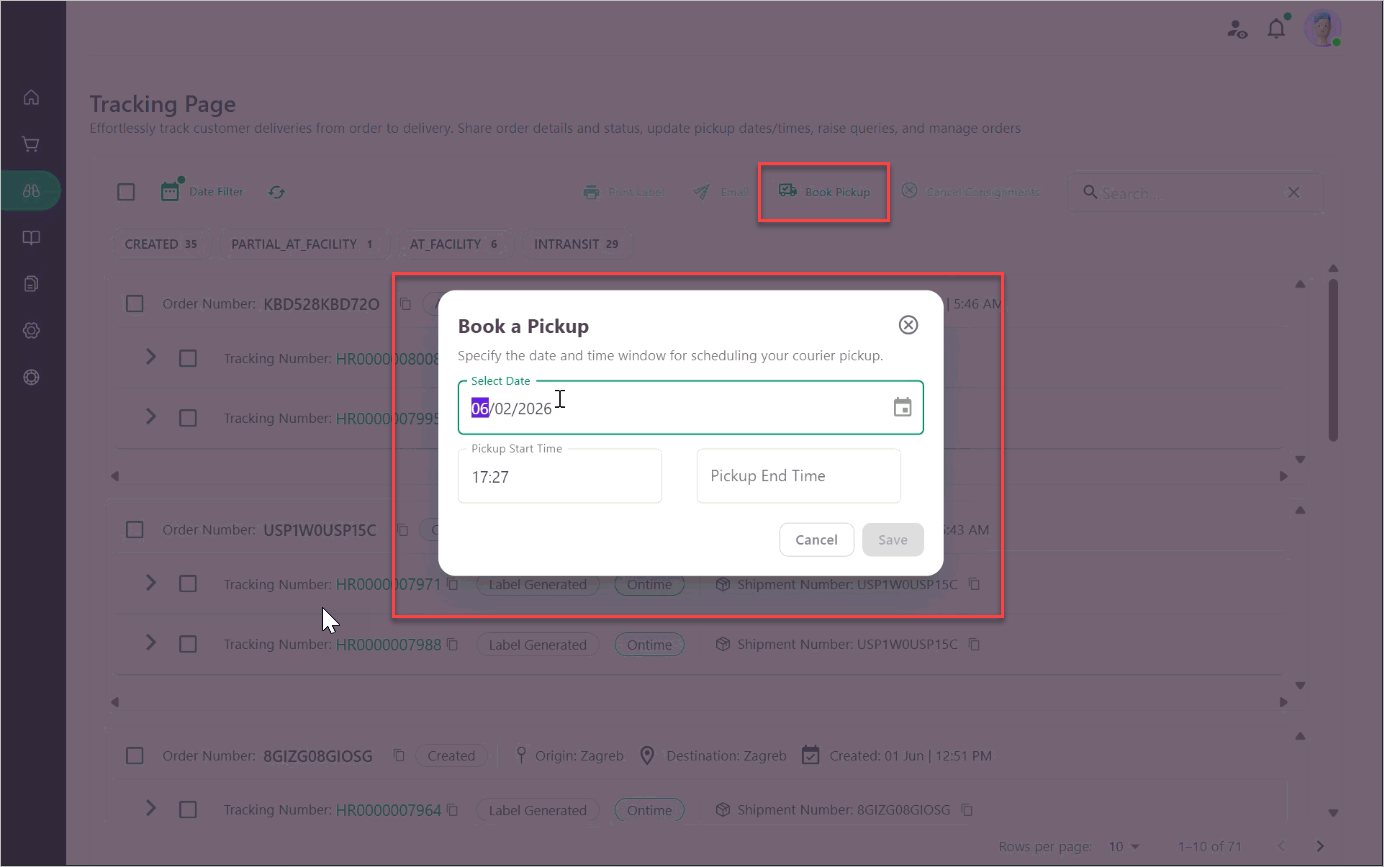
To make scheduling easier, merchants can now book a pickup directly from the Grow portal even if no specific orders or shipments are selected yet. This simple update provides the flexibility to request a pickup vehicle in advance, whether shipments are ready to be linked or not, streamlining the overall collection process.