Table of Contents
Let Our Experts Optimize Your Deliveries Today
Let's talk‘GREEN TRACK’ Sustainability Platform
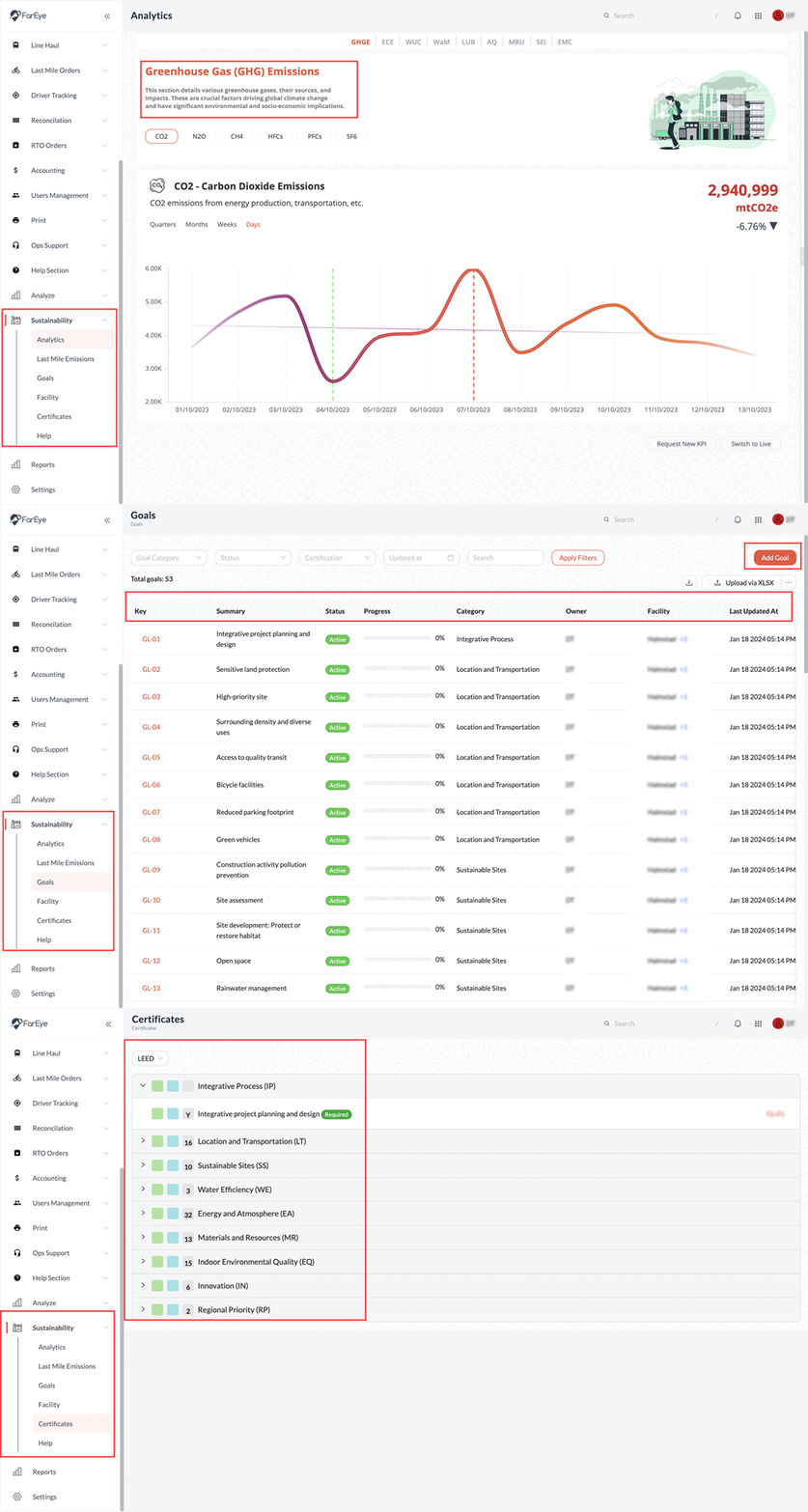
FarEye launches a new platform to track sustainability objectives and progress, carbon emission reduction, infrastructure adaptations and more at a facility level.
GreenTrack enables organizations to create sustainability objectives. It helps organizations align their goals with the framework set by leading green certification providers like LEED.
It offers a consolidated dashboard for tracking the performance of over 30+ Key Performance Indicators (KPIs), on last mile emissions in accordance with EPA (Environmental Protection Agency) guidelines. GreenTrack comes with an intuitive interface for users to monitor and enhance their sustainability initiatives.
What is offered?
- Sustainability KPIs dashboard
- Last Mile Emissions dashboard
- Facility Management module with respect to sustainability
- Green Goals & Activity Management platform
- Progress Tracking of certificates (issued by various governing bodies for sustainability)
How it works?
- Setup and Manage Facilities: Configure facilities and allot ownership to people for sustainability initiatives at hub/warehouse/distribution centers level. Facilities will be linked to hubs and cities. The authorized people at facility level will be responsible for updating and monitoring facility data.
- Create and select sustainability Goals: Get the flexibility to start specific goals for sustainability. Else, choose from a list of predefined goals based on LEED certification standards.
- Align activities and Track KPIs: At every facility, activities can be aligned with specific goals. Track multiple KPIs for activities and fetch insights into the progress on sustainability objectives.
- Calculate Mile Emissions: While adhering to the latest EPA guidelines for emissions reporting, GreenTrack leverages data to calculate last mile emissions. Each goal can be assigned a score and can have a timeline. This feature is essential for businesses focusing on reducing their carbon footprint.
- Monitoring Green Deliveries: Users can monitor and increase the number of green deliveries or trips, contributing to a more sustainable logistics operation system.
Personalise your consumer experience
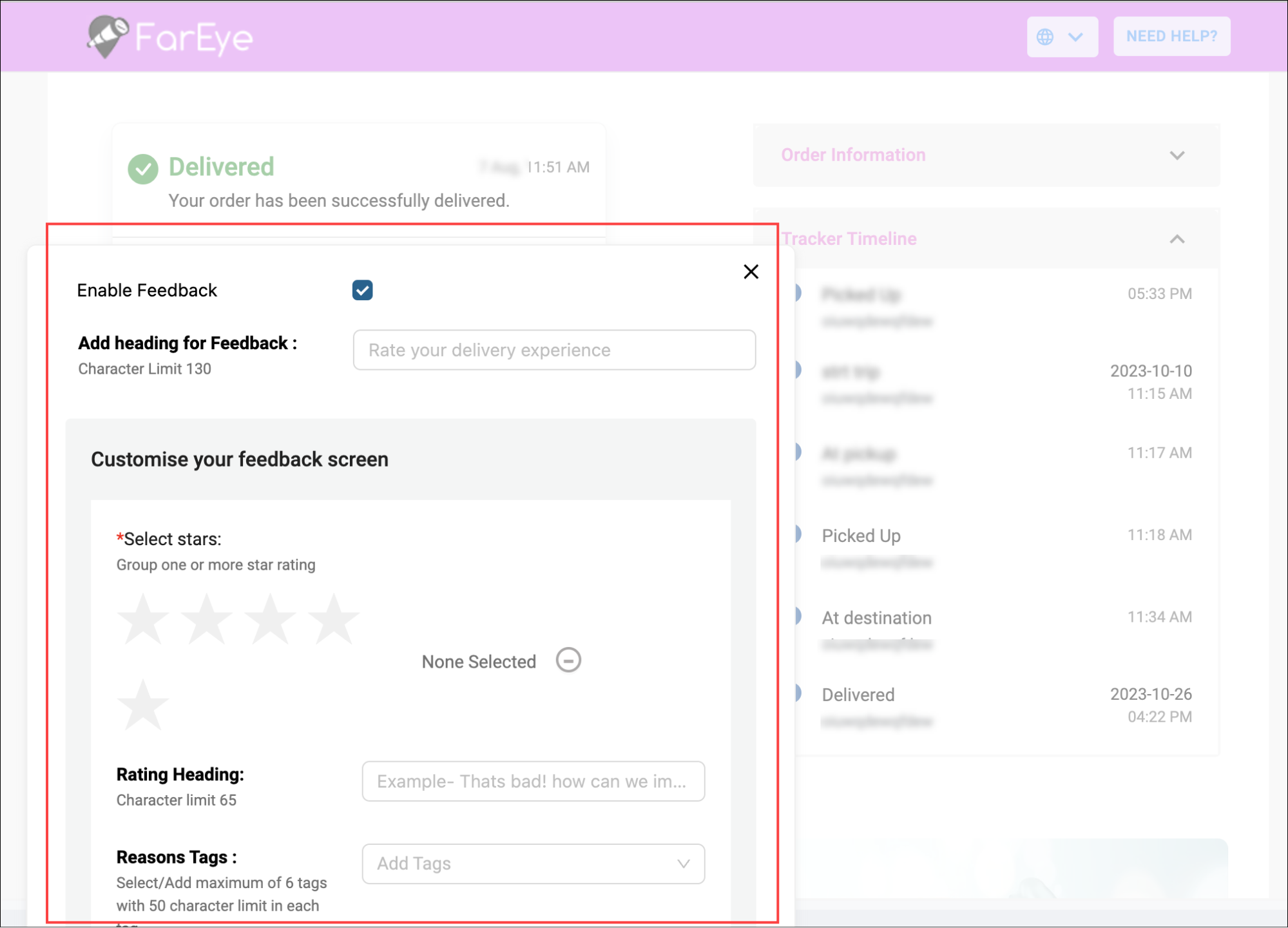
Personalise the designs of the customer tracking links on your own.
Highlights:
- Self-Serve: Customize the design of your tracking links with ease. No more dependency on others to configure attributes of your choice.
- User-friendly Interface: The editing palette offers a simple and intuitive interface, ensuring a seamless customization experience.
- Real-time preview: Make changes and preview them instantly for quick adjustments and perfect designs.
Build your own fleet of Gig drivers
Quickly onboard new gig drivers and broadcast orders to them seamlessly, allowing you to scale your final mile operations without the hassle of managing employees.
Highlights:
- On-time same-day deliveries with prioritised route assignment.
- Per-order or per-route allocation to gig drivers.
- Improved driver availability and reduced operational costs.
How it works?
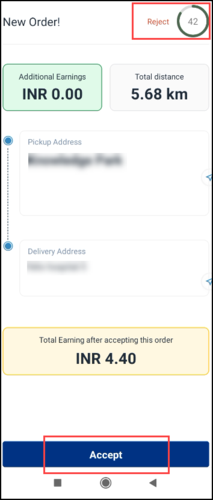
- Orders can be broadcasted to gig drivers in case dedicated drivers are not available.
- At a time, an order will be broadcasted to 2 gig-drivers with an option to accept/reject the order in a stipulated time. Pickup address, delivery address, delivery rate and distance in kilometers will be displayed on the screen to help the drivers accept/reject the order.
- Orders will no longer be broadcasted:
- If a driver rejects the orders
- If a driver reaches the defined capacity of order assignment
- If another driver accepts the orders
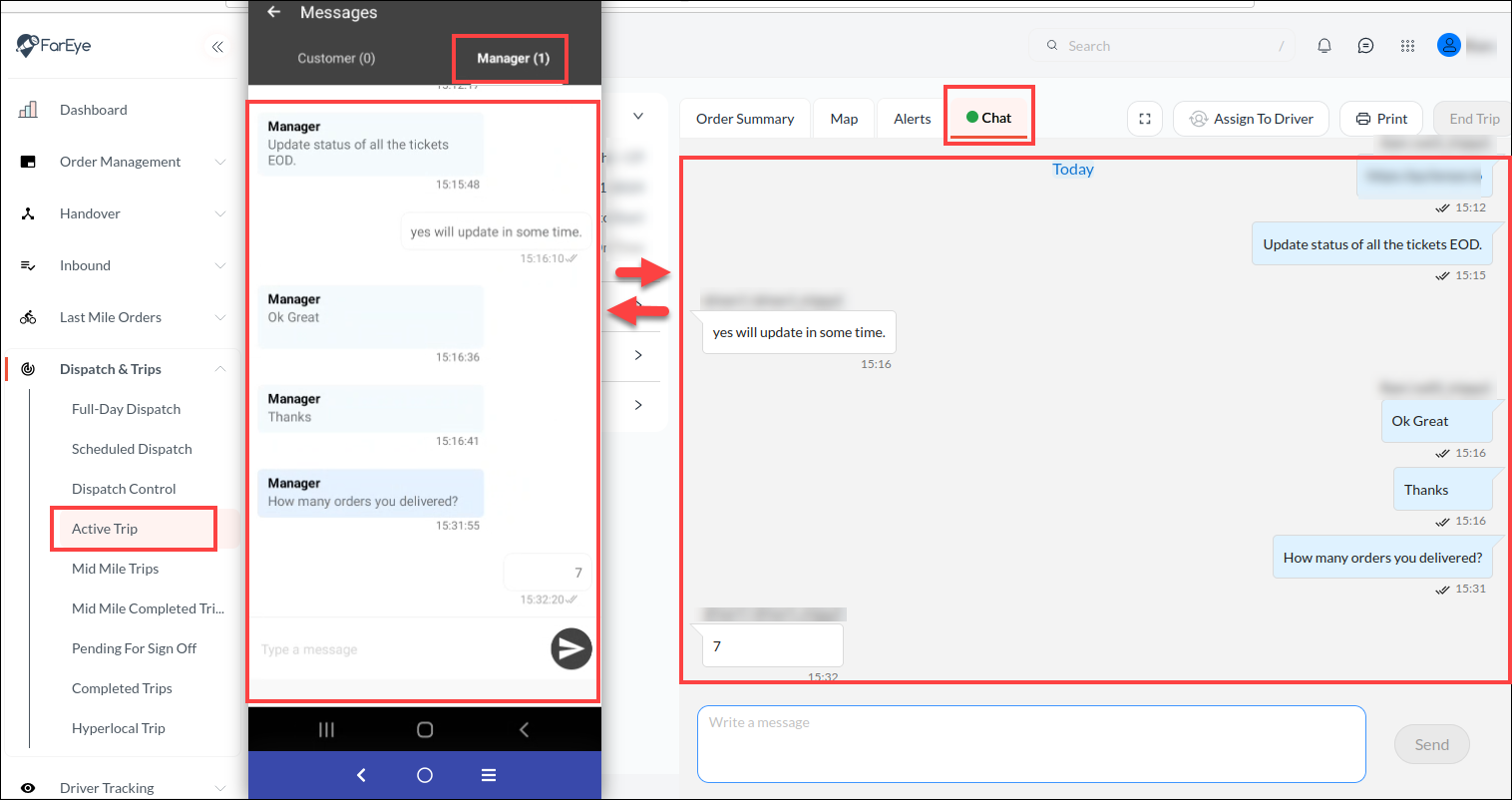
Chat functionality for Managers & Drivers
To promote communication between managers and drivers, a chat functionality is now introduced for Active Trips.
- Managers can send text messages to Drivers in web app chat box > Drivers are notified > Drivers can revert back.
- Drivers can send messages to Managers in mobile app chat box > Managers are notified > Managers can revert back.
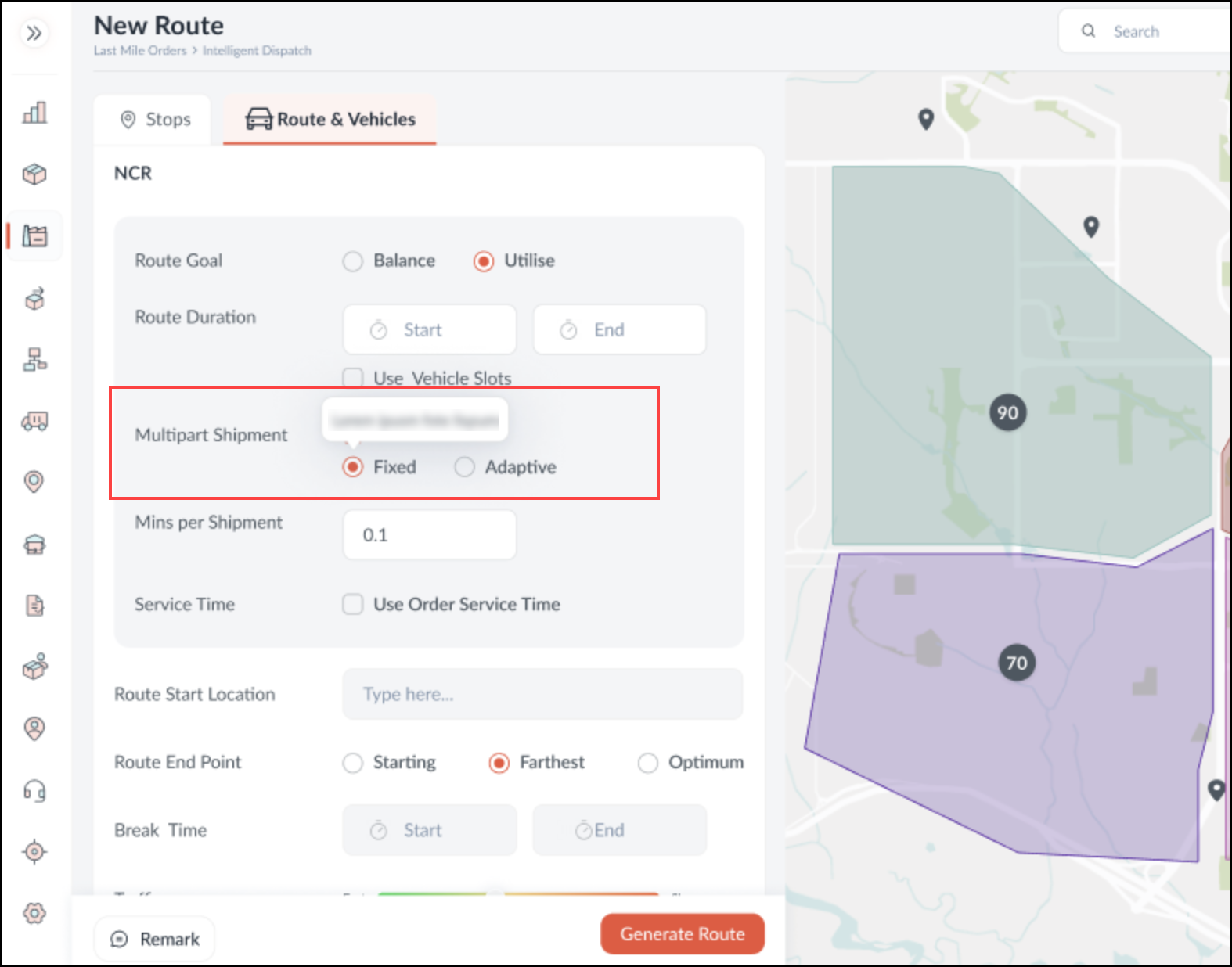
‘Smart’ stops in Multipart Shipment routing
In case of multipart-shipment deliveries, to reduce the time spent by a driver at a stop, the orders can be clubbed with the same tags.
For example:
- There are 3 delivery slots- Morning, Evening, and Anytime.
- A customer has opted for morning and Anytime delivery slots for multipart shipments.
- The orders for ‘Anytime’ delivery can be clubbed with Morning delivery slots to reduce the number of driver visits to a single stop.
This feature can be used by selecting the ‘Adaptive’ mode in the multipart shipment attribute on the routing screen.