Table of Contents
Let Our Experts Optimize Your Deliveries Today
Let's talkCarrier allocation using real-time serviceability data
Fetch serviceability details of multiple carriers in real-time through APIs. In case a carrier is unable to provide its services to a specific postal code, the real-time serviceability data can be utilized in making informed decisions and in carrier allocation.
What is offered?
- Real-Time Serviceability - Fetch serviceability and TAT details from all integrated carriers in real-time by utilising the serviceability finder APIs.
- Carrier Allocation using real-time serviceability – The The Carrier Allocation feature will utilize the real-time serviceability and TAT data from all integrated carriers and perform allocation logic on the same, thereby eliminating the need to manually upload serviceability master files against each carrier.
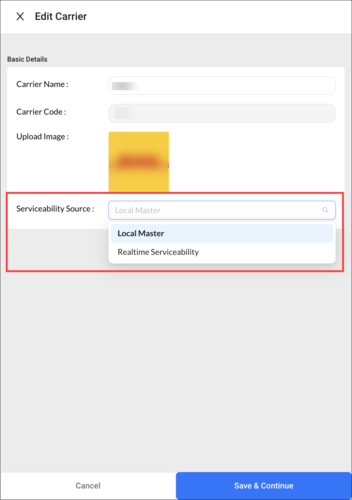
- Carrier setup based on Local Masters or Real-time Serviceability - Define the source of serviceability data by selecting local masters or real-time serviceability.
Highlights
- Reduce implementation time for carrier allocation by eliminating the need for manual and tedious serviceability/TAT master configuration.
- No room for outdated/non-dynamic serviceability data. Carrier service disruptions in specific areas are considered while allocating the right carrier, ensuring the selection perfectly matches your delivery requirements.
How does it work?
- Integration system sends a postal code to carriers simultaneously using their Pincode Finder API.
- Each carrier returns its serviceability status and the corresponding TAT for the provided postal code from the company-specific fulfilment centre.
- This serviceability status from each carrier is sent back to Carrier Allocation for automated allocation logic to be performed.
- The carrier with the lowest lead time is shortlisted.
- These details can be displayed on the checkout screen as well and enable users to display services that can be fulfilled. It leads to better customer experience.
Routing enhancements for vehicle ‘Leave by Time’
Vehicle leave by time for Dynamic Slot routing
As the ‘Leave by time’ is calculated according to the route, by knowing the delivery slots, the vehicle leave by time can be adjusted. Implementing this enhancement can help reduce the waiting time and the associated operational cost. For Example:
Before enabling the Vehicle leave by time:
| Vehicle Start Time from Hub/warehouse | Travel time to reach the 1st stop | 1st stop’s slot | Time wasted in waiting at the 1st stop |
| 10:30 AM | 30:00 Minutes (by 11:00 AM) | 12:00 Noon | 01:00 Hour (approx) |
After enabling the Vehicle leave by time:
| Vehicle Start Time from Hub/warehouse | Travel time to reach the 1st stop | Vehicle leave by time (suggested according to the slots) | 1st stop’s slot | Time wasted in waiting at the 1st stop |
| 10:30 AM | 30 Minutes | 11:30 AM | 12:00 Noon | 00:00 Minutes (approx) as the driver started at 11:30 AM |
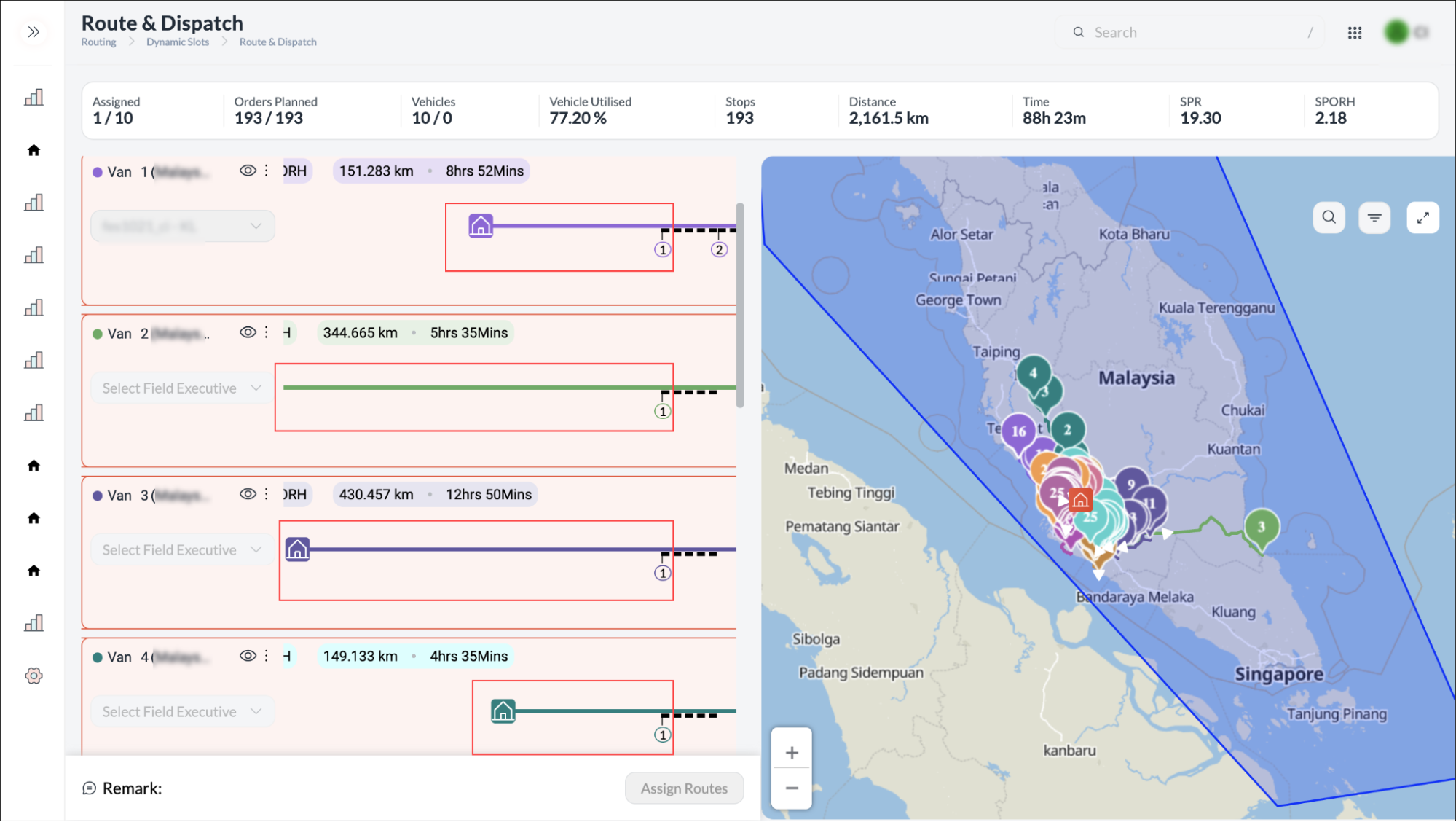
Vehicle Leave by time to be calculated from the 1st delivery stop
In the Pickdel (Pickup/Delivery) routing scenario, if all pickups are to be made from a single hub and the vehicle is at the hub, then the vehicle leave by time will be calculated from the 1st delivery stop.
Improved search mechanism for Pick-up/Drop-off (PUDO) function
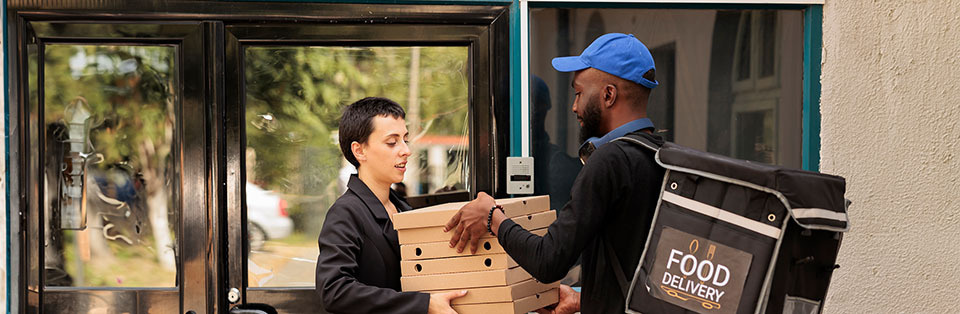
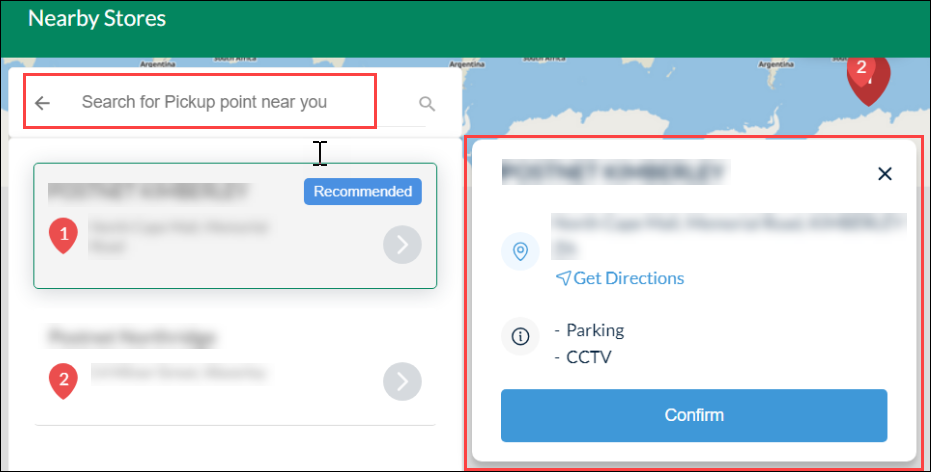
While creating an order, now search collection points (PUDO stores) on the basis of Postal Code, State, Suburb or City. These filters can be configured and renamed.
The collection points are displayed in a map-view and can be confirmed as a nearby pickup point.
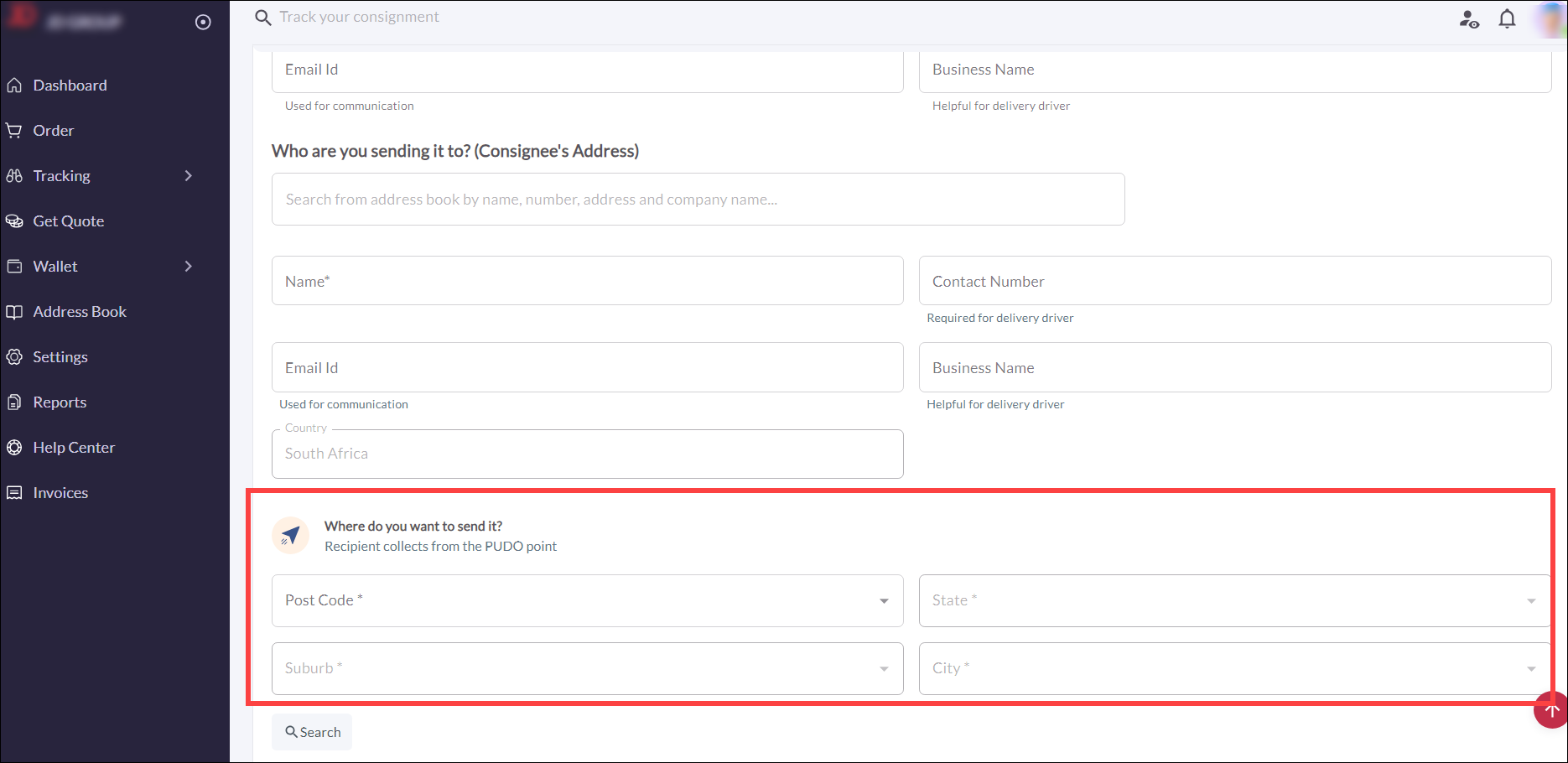
This enhancement improves the delivery process by searching and defining the exact location of pick-up parcel stores so that end customers can visit the store and pick up the parcels.
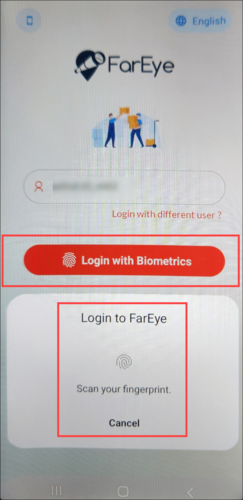
Biometric lock on mobile login
To mitigate the risks of credential sharing and to enhance login security, biometric credentials can now be configured on the Login screen of the mobile app. Biometrics like face recognition and fingerprints can reduce the likelihood of unauthorized access.
This feature is configurable with the following prerequisites:
- Auto-logout is enabled for drivers.
- The mobile device supports biometrics.
‘Item level’ visibility of Big & Bulky orders
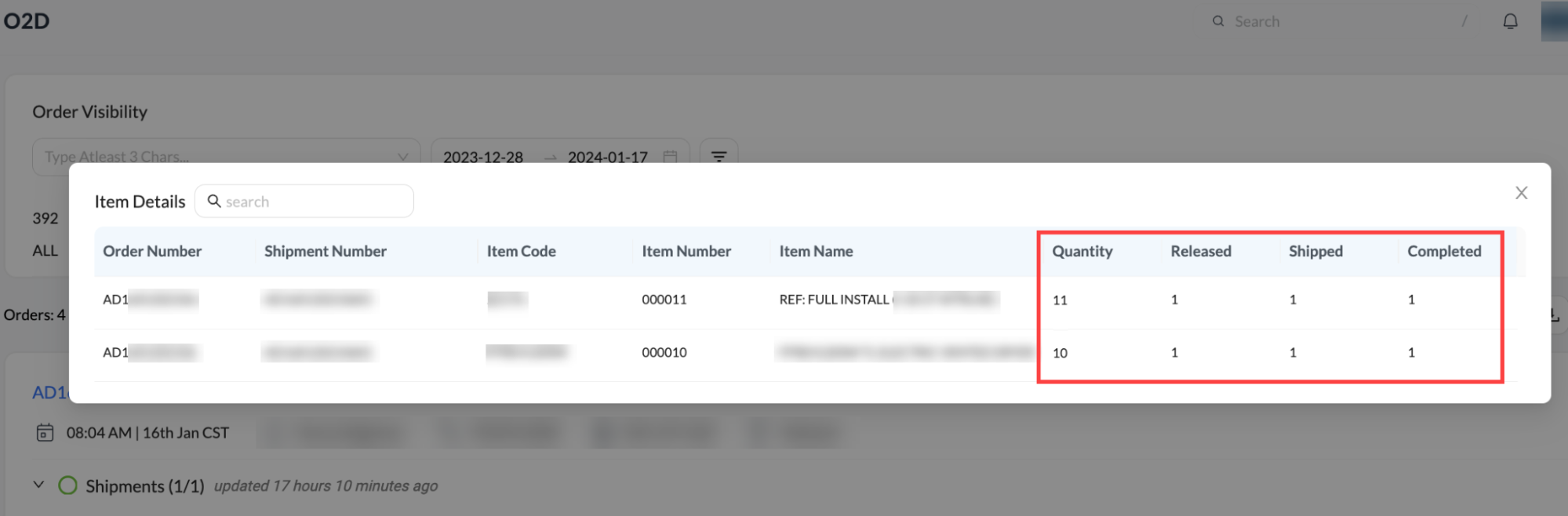
Complete visibility of items under big & bulky orders to create multiple shipments.
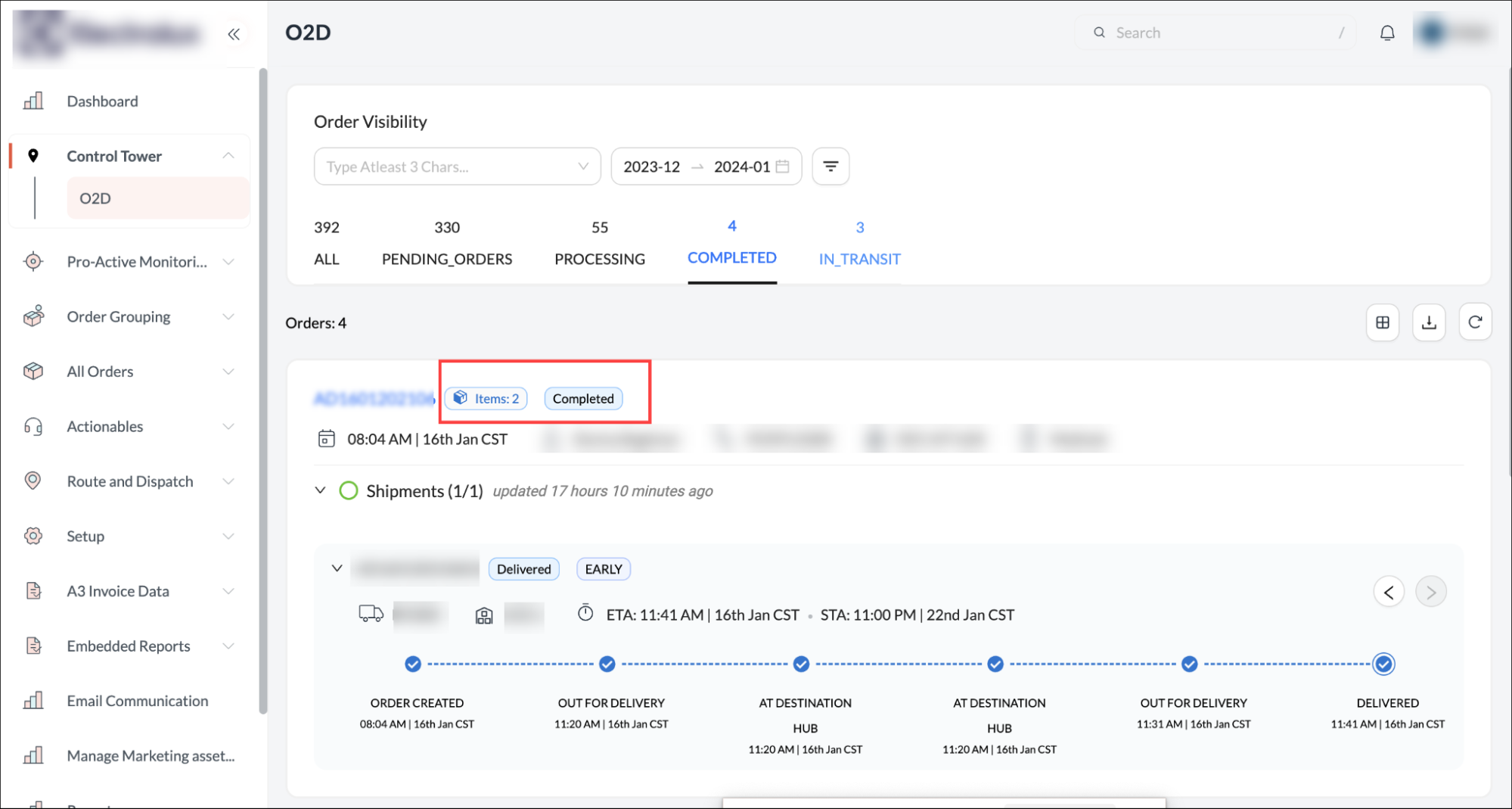
‘Item-level’ visibility from ‘Order creation till it is shipped’ is now available on the O2D (Order to Door) screen.
- It includes details on:
- Quantity: The total quantity of items.
- Released: The quantity of items released (ready to be shipped).
- Shipped: The items which are ‘Out for delivery’.
- Completed: The quantity of items delivered.
Dispatchers can use this to ensure the ‘in full’ fulfillment of the order. It provides superior exception management to proactively identify and act upon the items that are at risk.