Table of Contents
- Enhanced Trip Re-Sequencing for Optimal Accuracy and Control
- Geofence-Based Route Sorting: Accelerate Post-Routing Adjustments
- Cleaner and More Readable Pie Charts for Better Decision Making
- Enhanced Timezone Handling for Unified Trip Visibility and Reporting Accuracy
- Flexible Stop Sorting for Optimized Loading and Route Management
- Quick Label Reprinting for Maximum Driver Efficiency
Let Our Experts Optimize Your Deliveries Today
Let's talkEnhanced Trip Re-Sequencing for Optimal Accuracy and Control
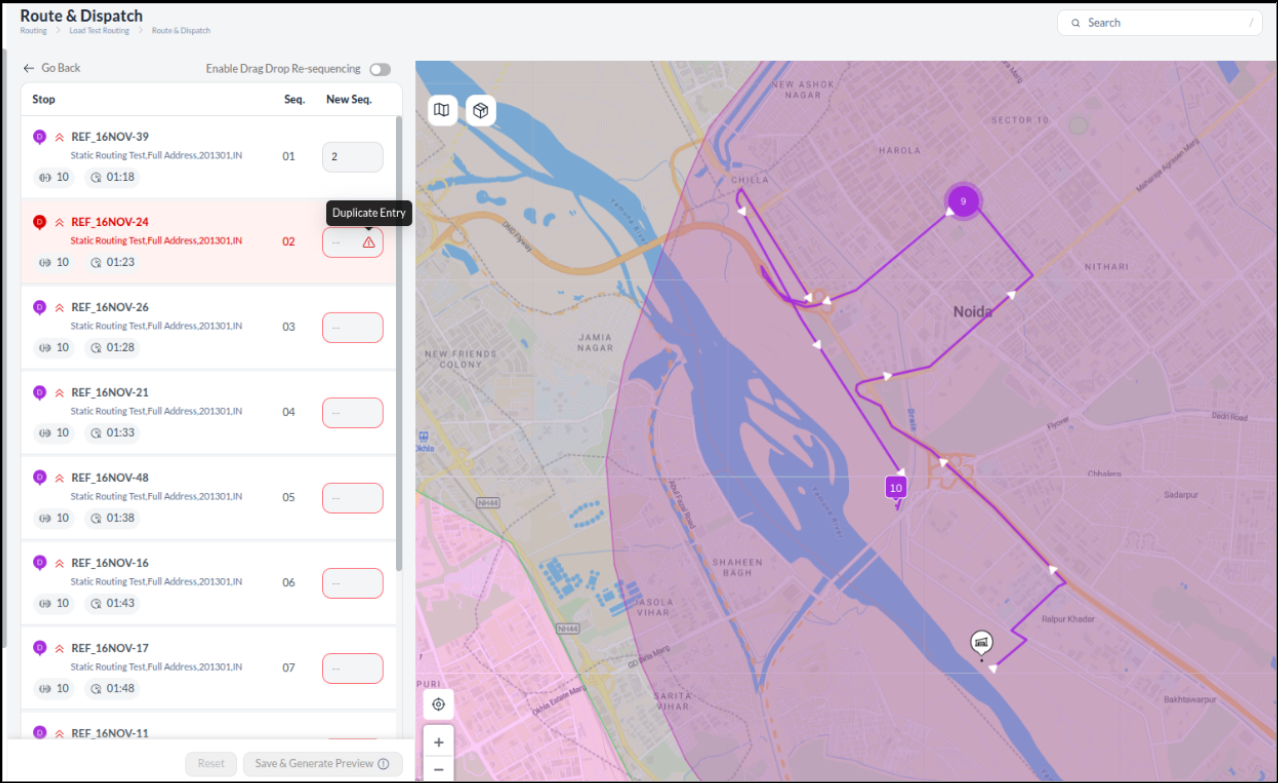
The Re-Sequencing Card interface has been enhanced to provide dispatchers with operational flexibility and greater accuracy when adjusting active trip sequences. This enhancement adds easy drag-and-drop and manual sequencing controls with instant validation and clear error handling. By streamlining input methods and consolidating multi-part orders, the system significantly accelerates post-routing adjustments and minimises manual sequencing errors, leading to greater operational control.
Key Enhancements:
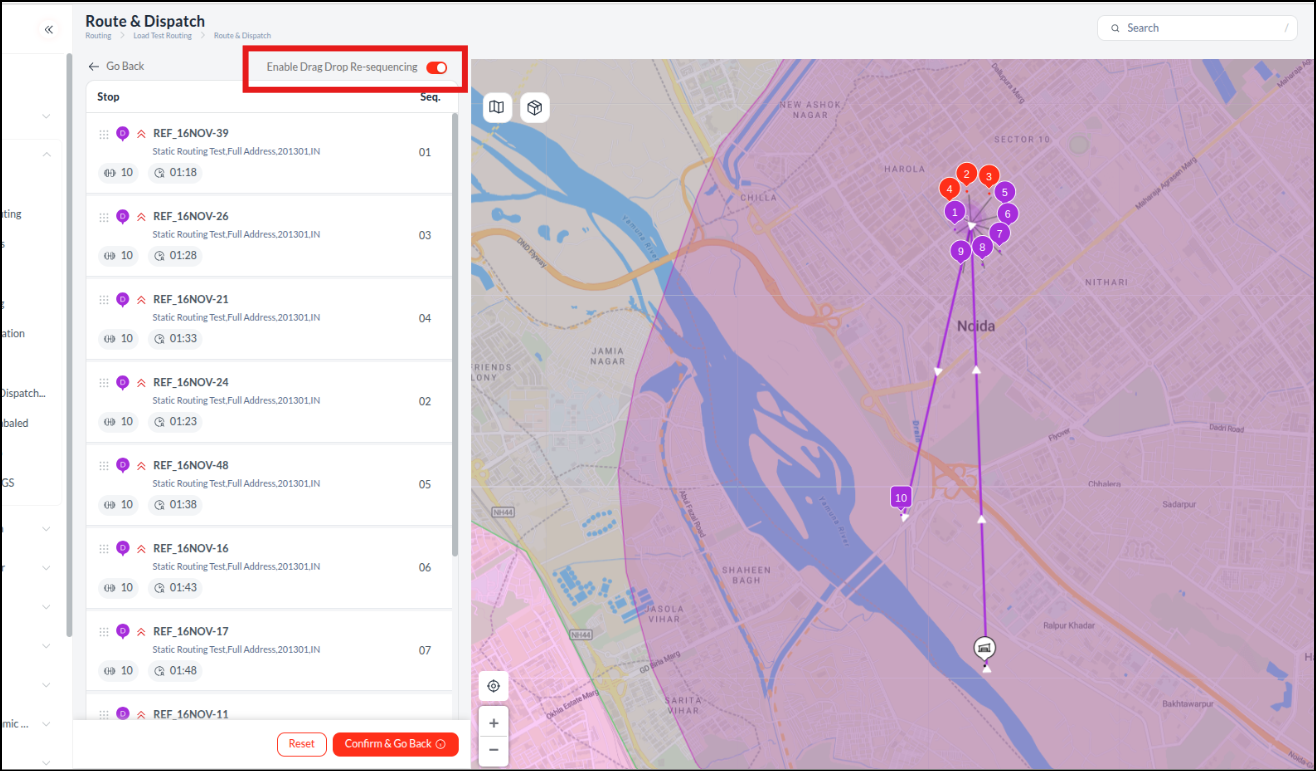
- Toggle for Drag-and-Drop: A new toggle allows dispatchers to instantly enable drag-and-drop functionality for intuitive reordering of stops.
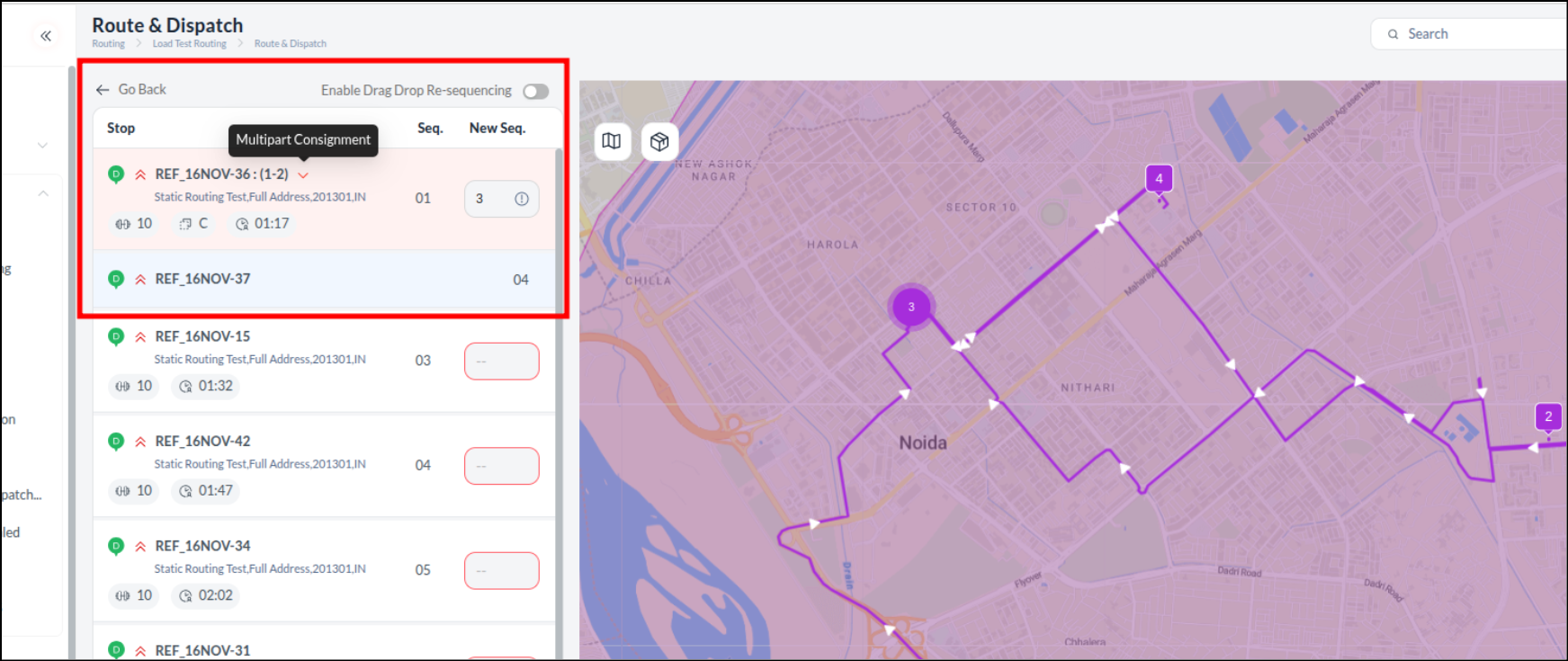
- Smarter Multi-part Order Grouping: Complex multi-part orders are consolidated, requiring only a single sequence number input that the system applies sequentially to the entire group.
- Icon Redesign: Pickup & Delivery icons have been redesigned for improved visual clarity across the user interface.
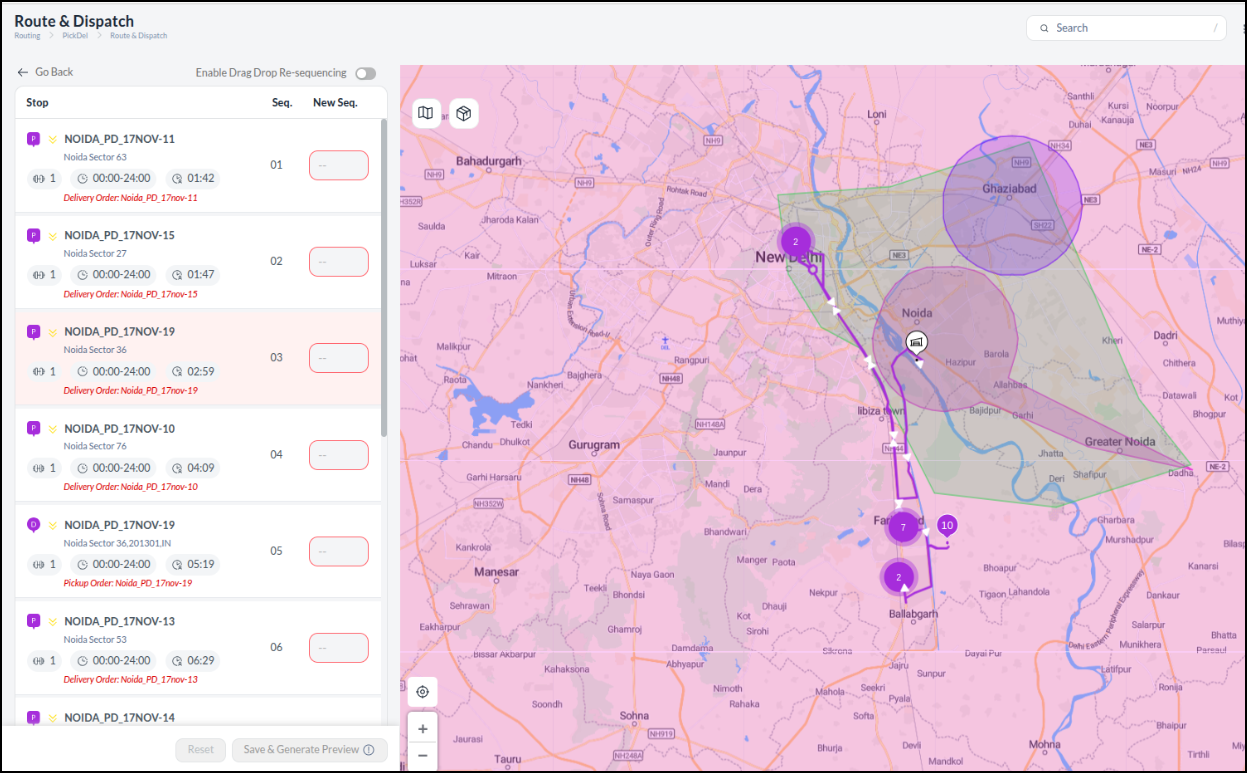
- Clear Error Messaging: The system now provides clear, descriptive error messages for re-sequencing issues, enabling faster issue identification and resolution.
Geofence-Based Route Sorting: Accelerate Post-Routing Adjustments
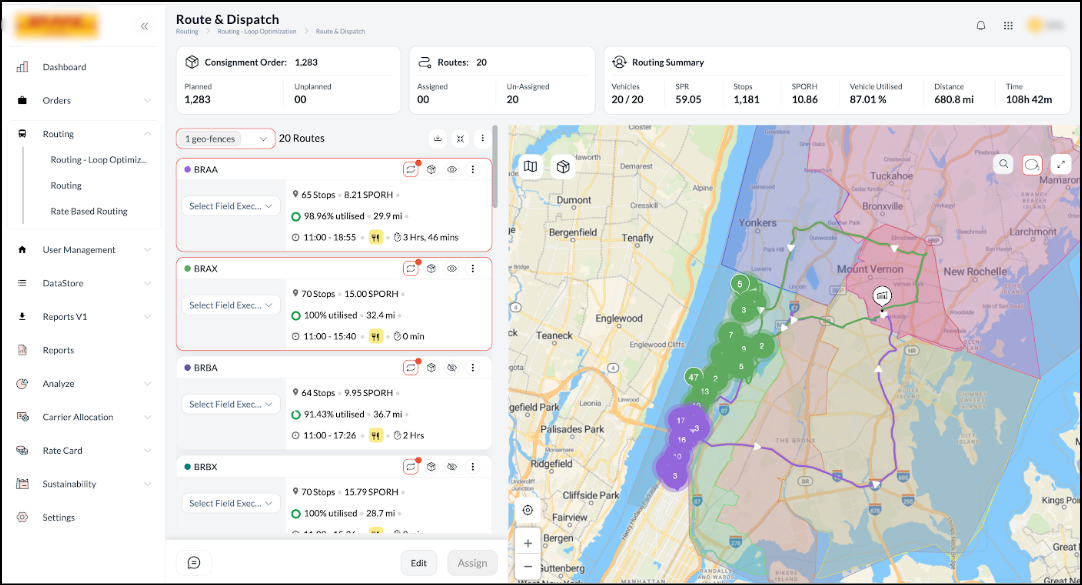
Geo fence-based route sorting enhancement is integrated into the post-routing screen, designed to accelerate and optimise active trip sequence adjustments for dispatchers, particularly when handling multiple geo-locations. This enhancement automatically sorts routes when a geofence filter is applied. Routes falling inside the selected fence(s) instantly move to the top of the list. Their original internal sequence is retained. This functionality enables dispatchers to identify and prioritise the correct routes quickly. It removes the need for manual identification. It also ensures that this specific sorting behaviour remains consistent across all screen reloads and when navigating back to the post-routing view.
Cleaner and More Readable Pie Charts for Better Decision Making
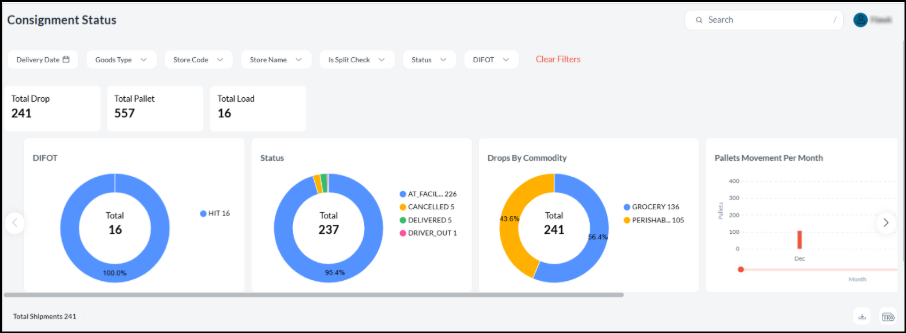
Pie charts on the Process Grid and All Orders pages have been redesigned to reduce visual clutter and improve readability, especially when many segments are present. The charts now show percentages inside the pie for a clearer snapshot, while both count and percentage values are available on hover. Labels for very small slices are hidden upfront to avoid noise, but remain accessible on hover. This UI update makes insights faster and easier for dispatchers and control tower teams without removing any underlying information.
Enhanced Timezone Handling for Unified Trip Visibility and Reporting Accuracy
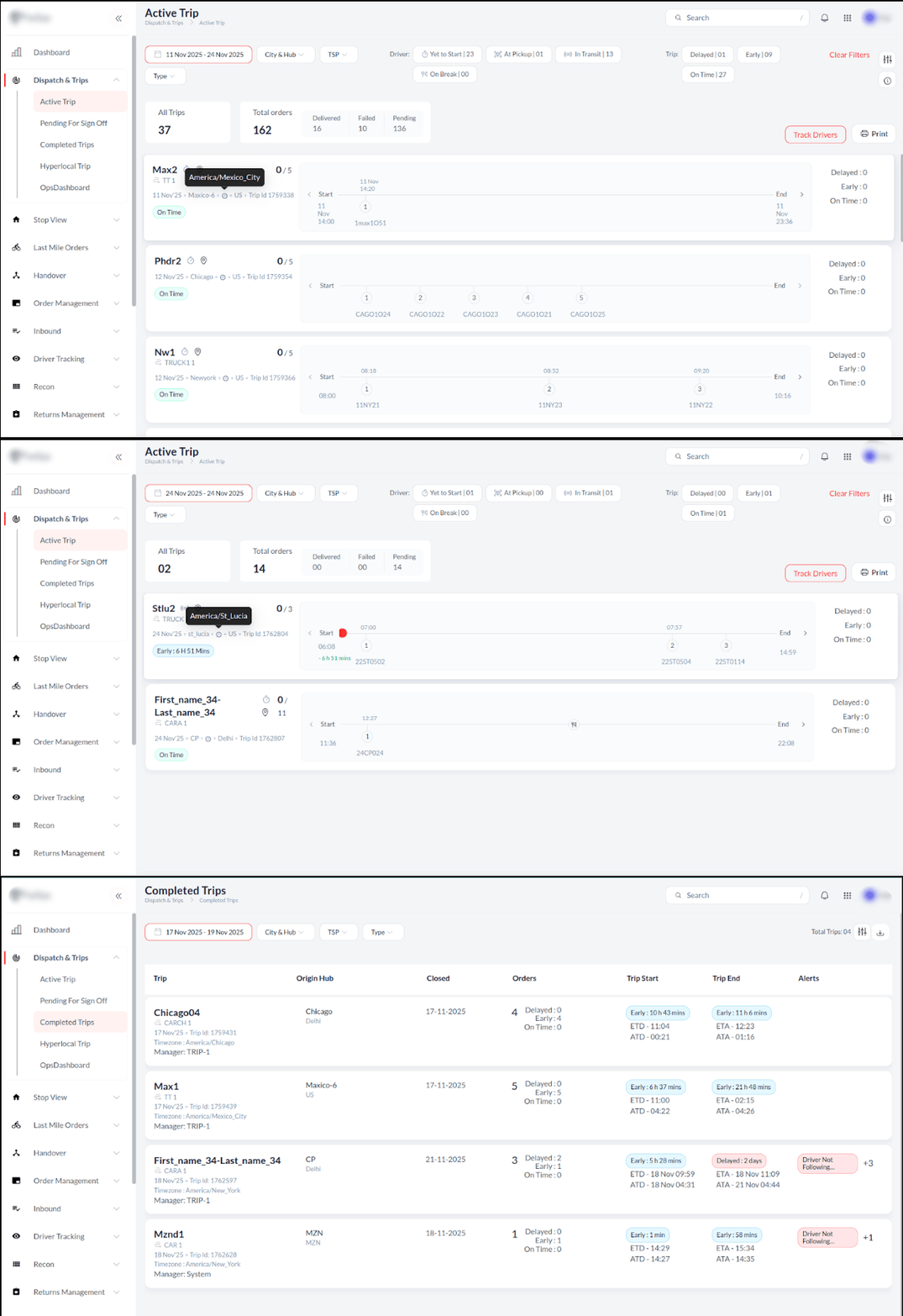
To ensure reliable data consistency and accurate operational reporting across global and multi-hub environments, the platform now standardizes all trip timestamps to reflect the Trip Time Zone, rather than the user's local time zone. This enhancement is crucial for effective cross-regional oversight and expedited decision-making.
All timestamps (e.g., trip start, stop arrival) now reflect the trip’s local time zone(e.g., Brisbane time for a Brisbane trip), moving beyond previous user-specific displays where users from different hubs (like Adelaide or Sydney) saw times adjusted to their local settings. This standardization applies comprehensively across the Trip & Stop Reports, Trip Detail UI, and Process Tracking pages/logs, and is maintained in exported reports, guaranteeing integrity for all operational analysis and auditing.
Flexible Stop Sorting for Optimized Loading and Route Management
To accelerate operational analysis and enhance usability for drivers, the system's stop sorting capability has been upgraded to support reverse (descending) order sorting. Drivers can view orders in descending sequence during the loading operation to ensure the last order placed into the vehicle is the first one needed for delivery (Last-In, First-Out or LIFO), thereby streamlining both loading processes and operational analysis. This expanded flexibility provides dispatchers with greater control over stop sequencing and management of consolidated multiple deliveries.
Quick Label Reprinting for Maximum Driver Efficiency
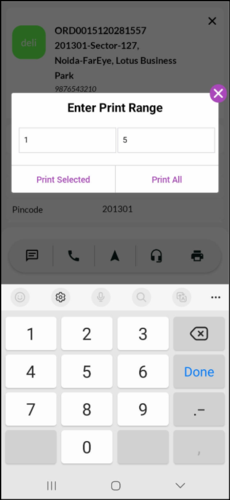
The label reprinting process has been refined to eliminate unnecessary steps and reduce manual input. Instead of navigating to a separate module and re-entering label details, riders can now initiate reprints directly within the existing printing workflow by entering the damaged label number. The system automatically retrieves all required information, allowing quick and accurate reprints for single or multiple labels. This enhancement delivers a more efficient, reliable, and user-friendly label handling experience.