Table of Contents
Let Our Experts Optimize Your Deliveries Today
Let's talkCross Dock consolidation / deconsolidation solution
This solution incorporates state-of-the-art technology to streamline the consolidation process. It covers various stages of consolidation, weighing, sealing and dispatching. Thereby providing a seamless Chain of custody for the entire cross dock operations.
What is offered?
- Integrated Cross Dock: The system seamlessly integrates with cross dock operations, allowing for quick and efficient transfer of goods from adding shipments in consolidation to outbound trucks or distribution channels. It minimizes dwell time and ensures swift handling of goods, improving overall throughput.
- Customizable Consolidation Parameters: This includes setting consolidation sizes, weight limits, and sorting criteria, allowing for tailored solutions to meet varying needs across different industries and workflows.
- Real-time Visibility: Providing real-time event-based visibility into the status and location of shipments, consolidations & trips throughout the mid-mile journey. This allows shippers and carriers to track shipments, monitor delivery progress, and proactively manage any disruptions or delays.
- Intermodal Solutions: Integrating multiple transportation modes, such as trucking, rail, air, road, cabin load to manage flexible and cost-effective mid-mile transportation solutions.
Key Highlights
- 100% visibility of the chain of custody.
- Faster scanning for cross-dock activities like consolidation, trip creation, loading, and unloading.
- Robust multi-user capabilities enable floor supervisors to seamlessly run cross dock processes parallel, enhancing productivity and responsiveness.
- Offline support for handling internet/power issues.
Web application solution
How does it work?
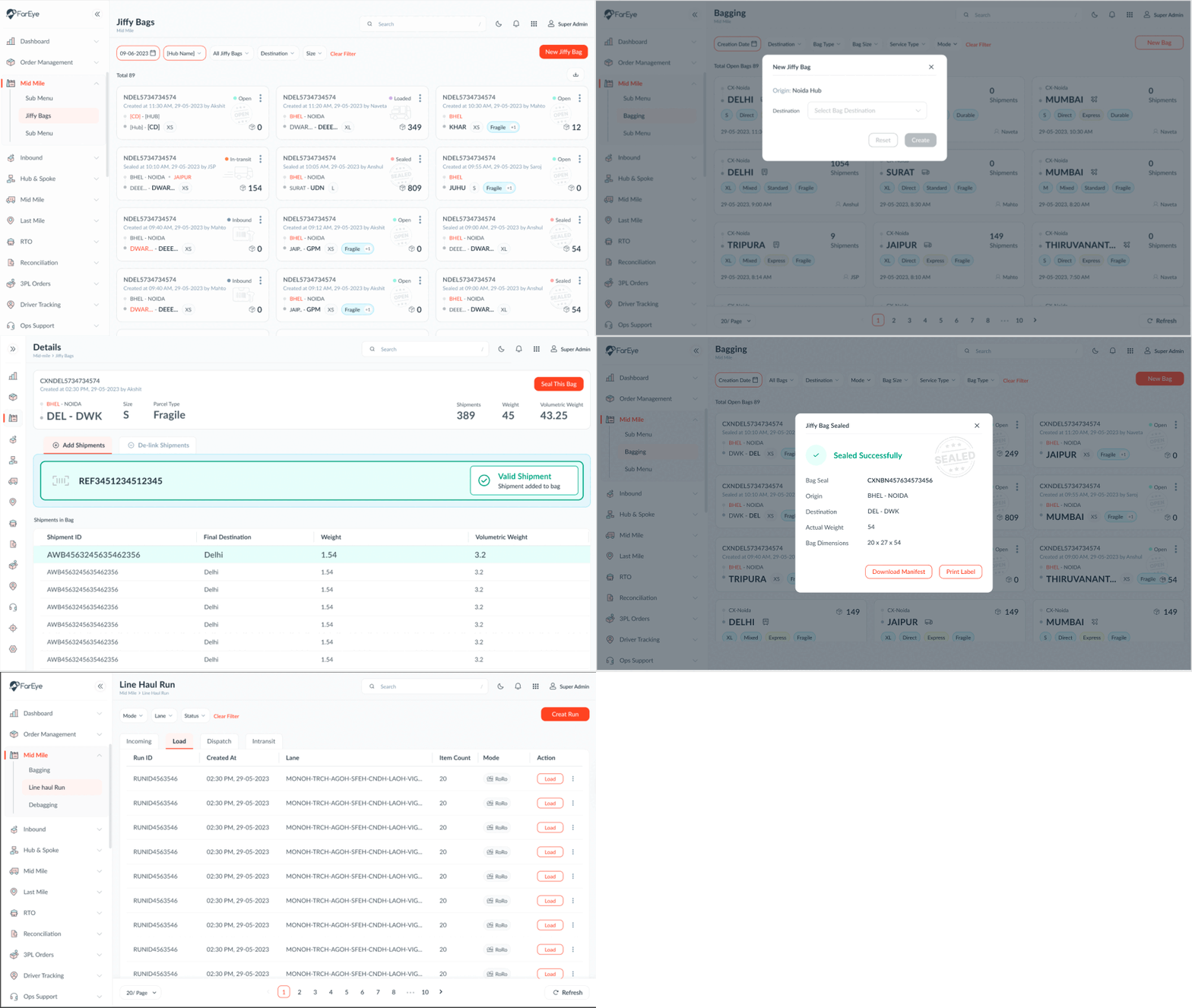
- Define hubs as “Sorting centers” or “ Cross-docks”
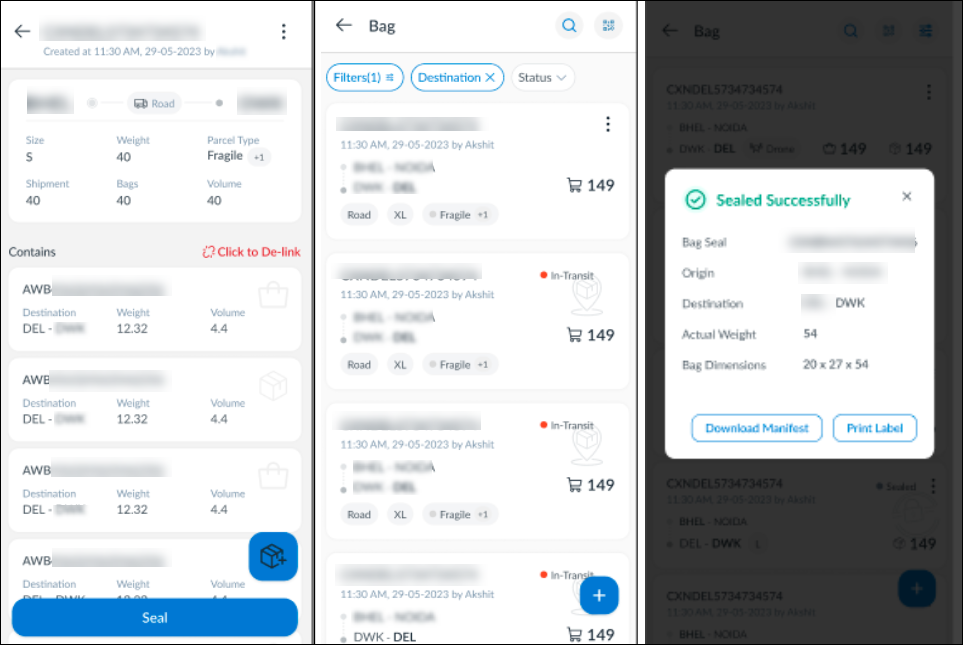
- Start creating consolidations
- Addition of shipment into consolidation can be done seamlessly by supervisors
- Based on the consolidation sizes, validations are controlled to restrict addition beyond permissible counts
- Seal consolidations
- Build line-haul loads (connections) from pre-fixed schedule or ad hoc
- Load consolidations into line-haul
- Dispatch line-haul
- In transit & incoming runs are observed at the sending & receiving destination.
- Deconsolidation is done at the destination of line-haul
Mobile App solution
Role-based access for Routing screens
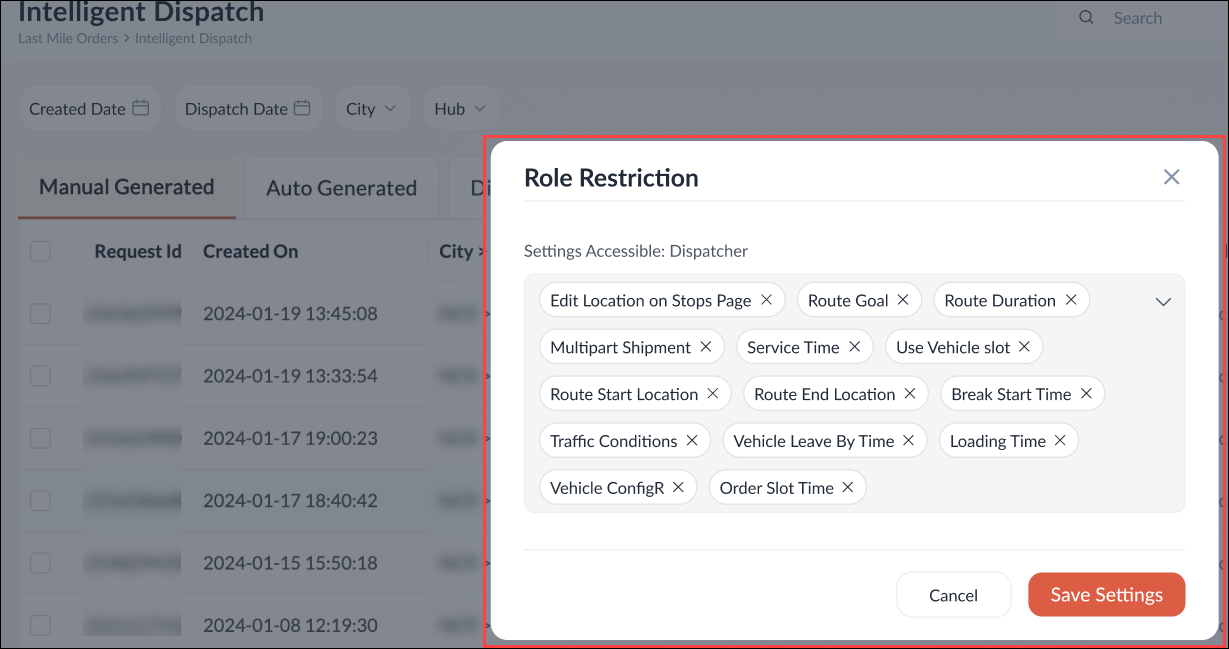
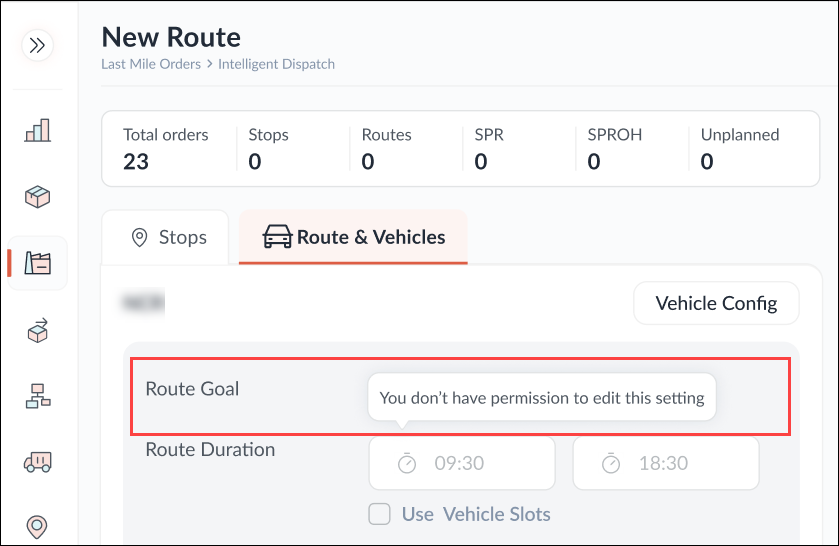
To avoid disruptions in the Routing execution, the related attributes can be restricted for other user types by an account administrator who has admin access. The users with restricted access will only be able to change routing configuration as per their defined set of attributes. For example, the permission to edit the Routing Goal can be restricted for some user types.
Set up ‘Day-wise’ business hours for PUDO stores
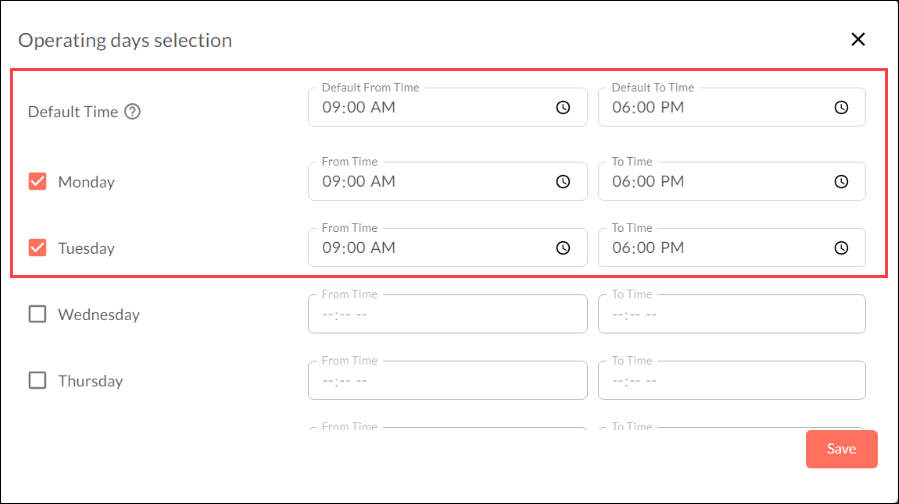
A PUDO store can have different operation hours on different days. Using a DIY feature, the operation hours can be configured ‘day-wise’ for every single PUDO location. This configuration can also be done for multiple PUDO locations in one go by using the Bulk Update feature. Refer to the example below:
PUDO Store Name: ABC Store
Timings:
- Monday to Friday: 9:00 AM to 6:00 PM
- Saturday: 9:00 AM to 5:00 PM
- Sunday: 9:00 AM to 2:00 PM
- Public Holiday: 9:00 AM to 2:00 PM
Keycloak Enablement
Keycloak, an identity and access management tool, is now configurable on account login pages. This implementation is done to ensure:
- User login authentication for web and mobile application users
- Token regeneration to continue active sessions of users
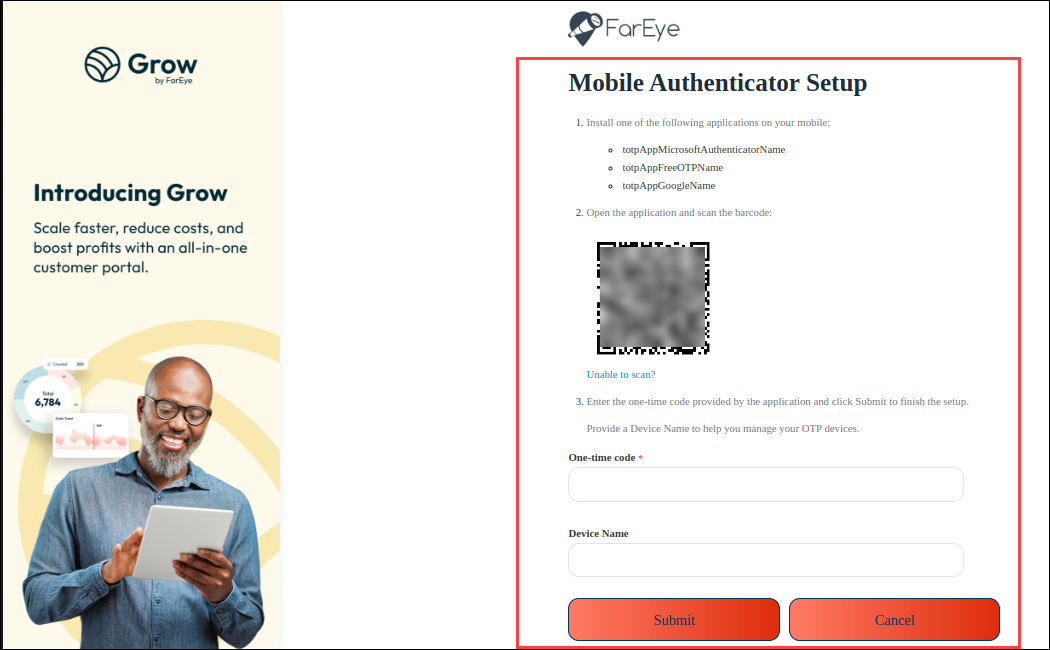
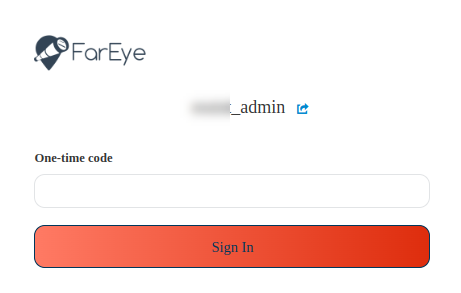
- Multi-factor authentication (MFA) for web users:
- The MFA settings for a company account can be marked as Required, Disabled, or Conditional.
- Under Conditional MFA settings, some users can be required to enter 'one-time codes’ for login, while other users can log in without any code.
- In case of lost/damaged devices (on which the code is received), web users can make requests to their managers to disable the MFA settings on the lost/damaged devices and enable the same on new devices.
PUDO (Pickup/Dropoff) enhancements
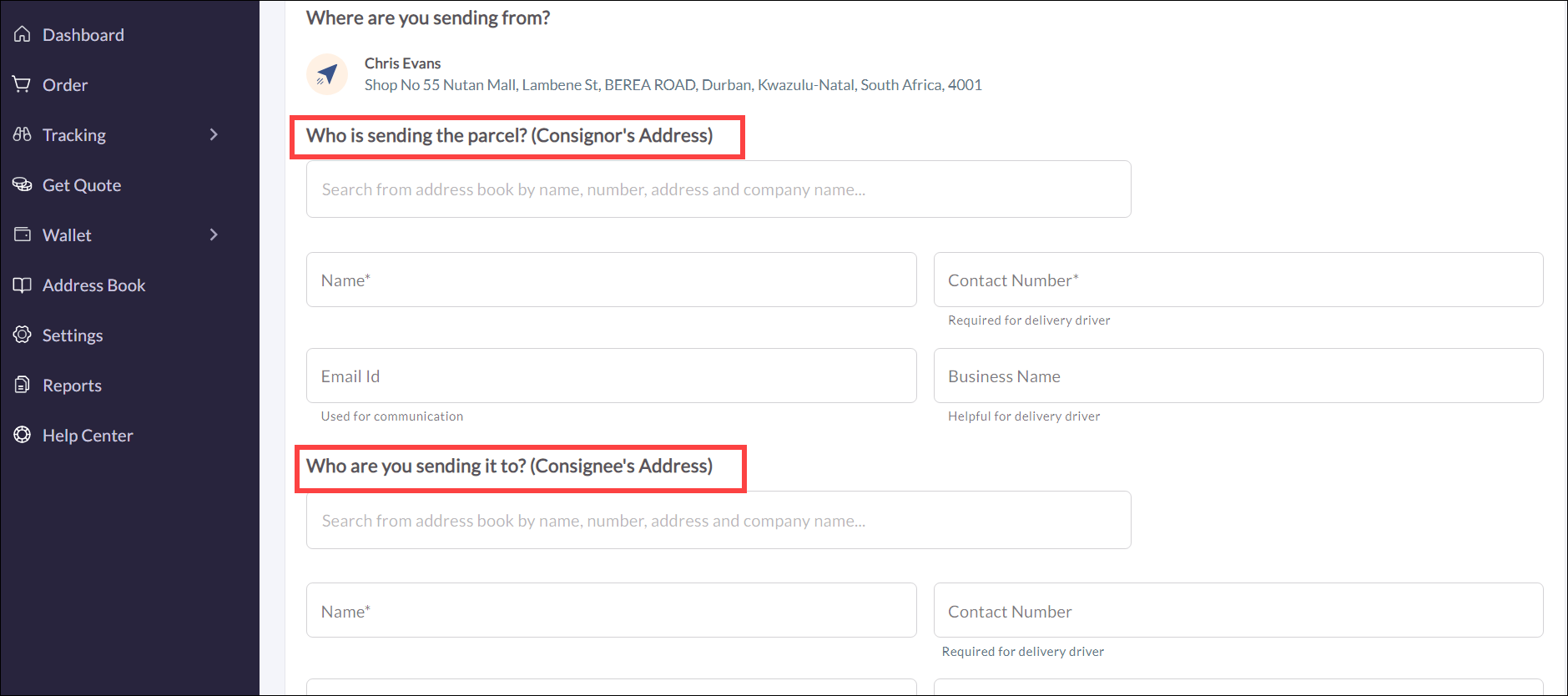
Comprehensive Order form for PUDO users
While creating an order in the order form for a PUDO user type, add the consignor and consignee details, which would be reflected in the order summary section. This feature is very useful in providing complete information on the order and its complete visibility.
OTP verification during Pickup
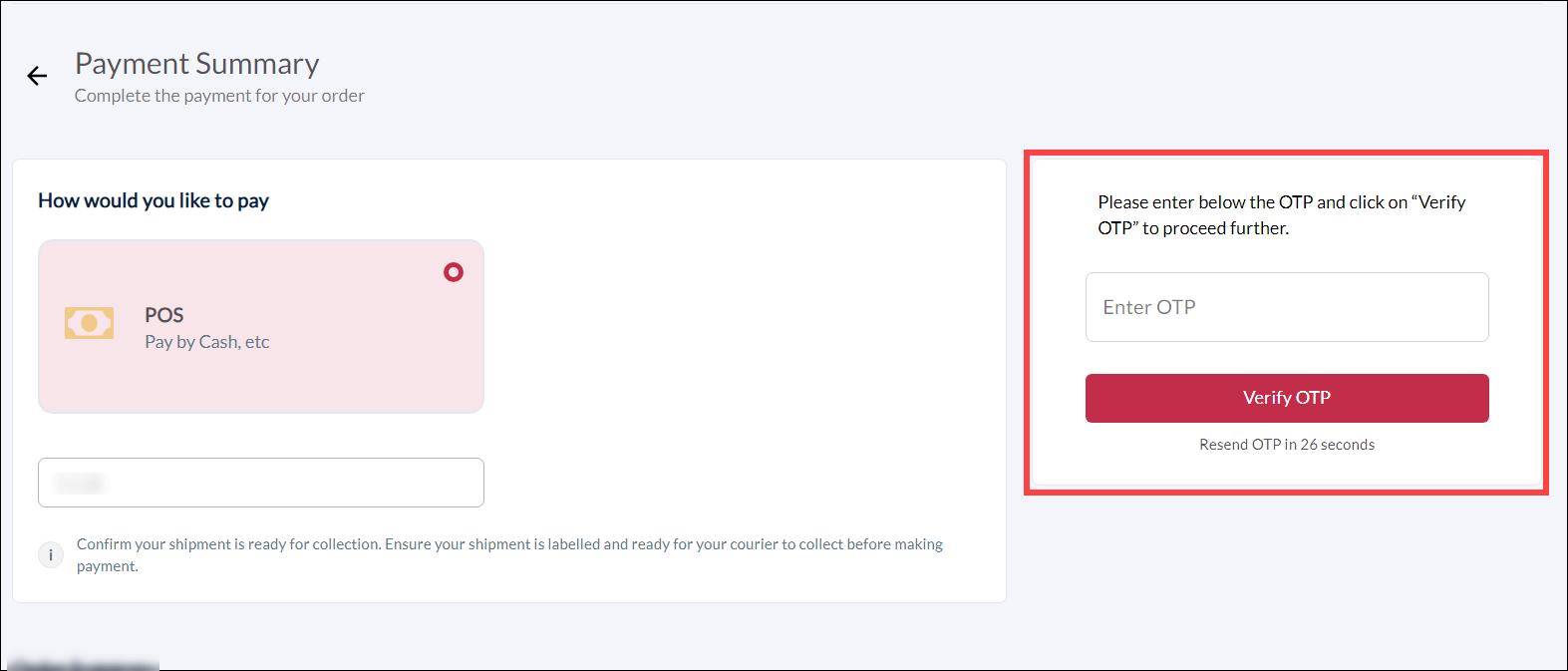
A configurable option to enable OTP (one-time password) verification of order details during pickup has been added. When enabled, an SMS is triggered on the mobile devices of consignors, and they can proceed further (pick up their shipment) only after entering the OTP.