
Table of Contents
- Enhanced Vehicle Filtering for Route Assignment
- Intelligent Map Clustering for Post-Routing Visibility
- Instant Range Clarity for Electric Fleets
- Precise Capacity Visibility on Hover
- Unified Multi-Part Shipment (MPS) Management for Hyperlocal Operations
- Geofence-Restricted Trip Completion for Fair Hyperlocal Assignment
- Configurable Stop Details and Document Access
Let Our Experts Optimize Your Deliveries Today
Let's talkEnhanced Vehicle Filtering for Route Assignment
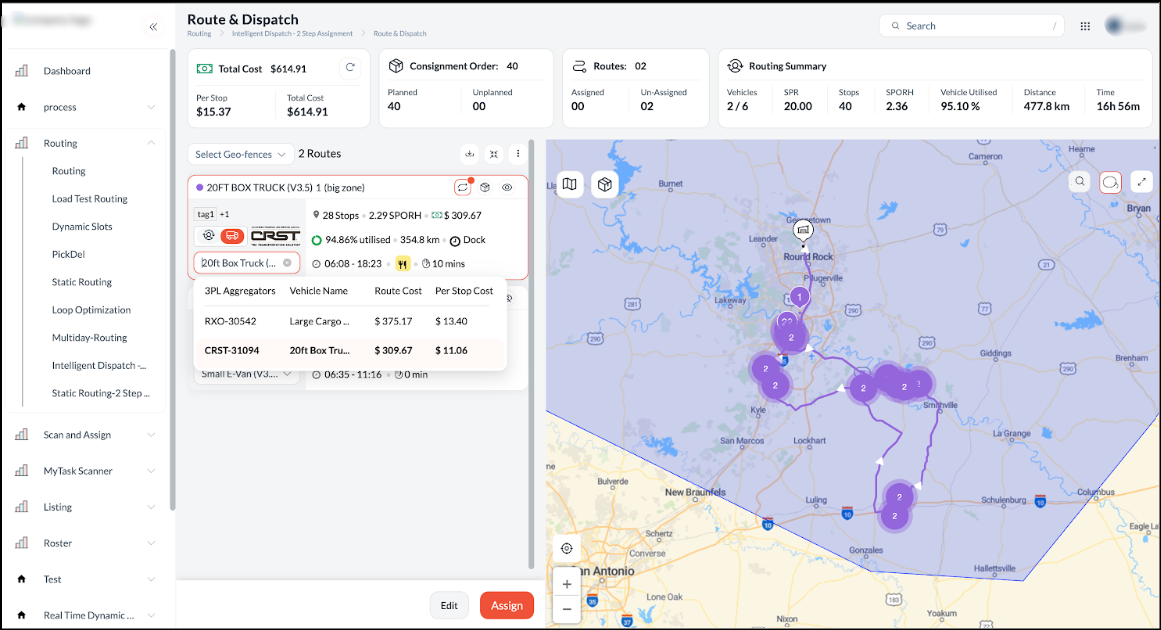
To ensure assignment accuracy and streamline the dispatch process, the system now applies filtering logic to display only operationally eligible vehicles during route assignment. In addition to standard capacity checks (volume, pallets, and dimensions), the system now validates tags, distance limits, and shift availability. This enhancement ensures that vehicles exceeding maximum distance or shift utilisation limits are automatically filtered out, allowing dispatchers to make faster, error-free selections based on truly available assets.
Intelligent Map Clustering for Post-Routing Visibility
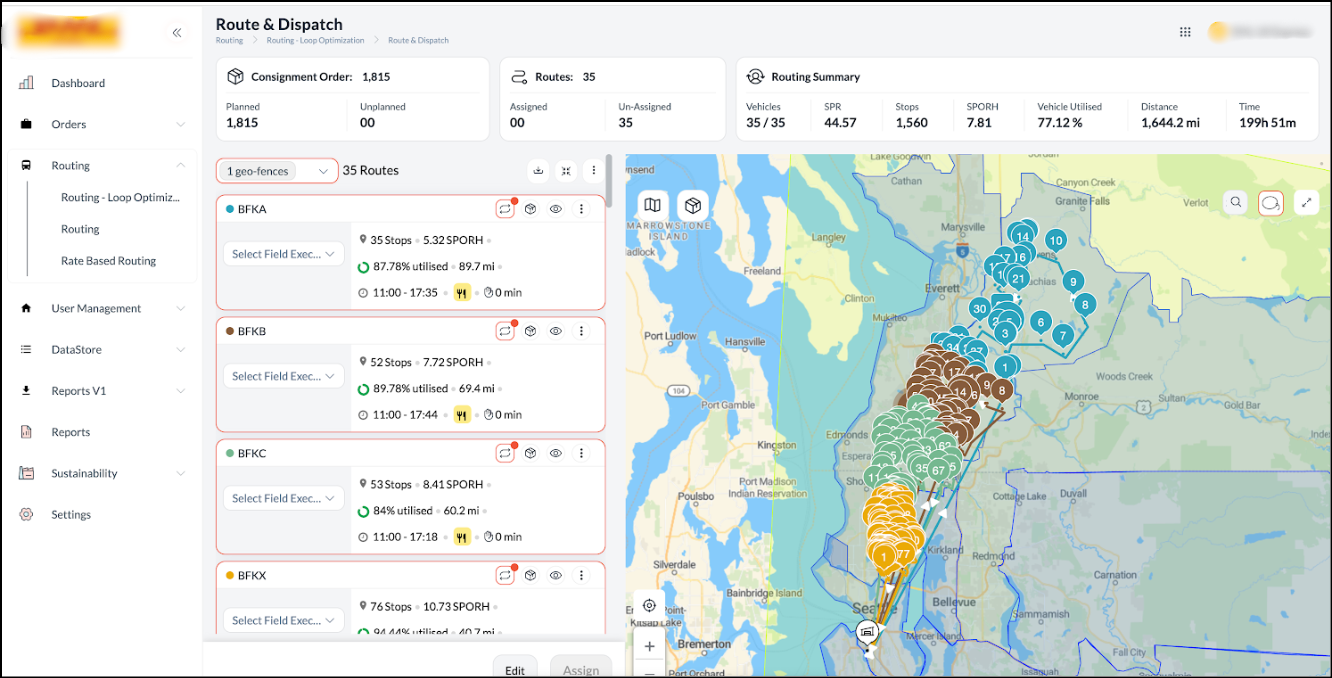
To improve map performance and visual clarity on the Post-Routing screen, automated clustering logic now applies based on stop volume. If the total number of stops is 1000 or fewer, the map defaults to a de-clustered view, displaying individual markers for precise control. If the volume exceeds 1000 stops, the system automatically switches to a clustered view to prevent visual clutter and ensure smoother navigation.
Instant Range Clarity for Electric Fleets
EV Distance Utilisation Visibility is now available to support more informed and safer routing decisions. After routing is completed, routes assigned to electric vehicles immediately display the percentage of distance utilised against the vehicle’s total range. This enhancement gives planners instant clarity on range feasibility, ensuring that electric fleet operations remain efficient and within safe limits.
Precise Capacity Visibility on Hover
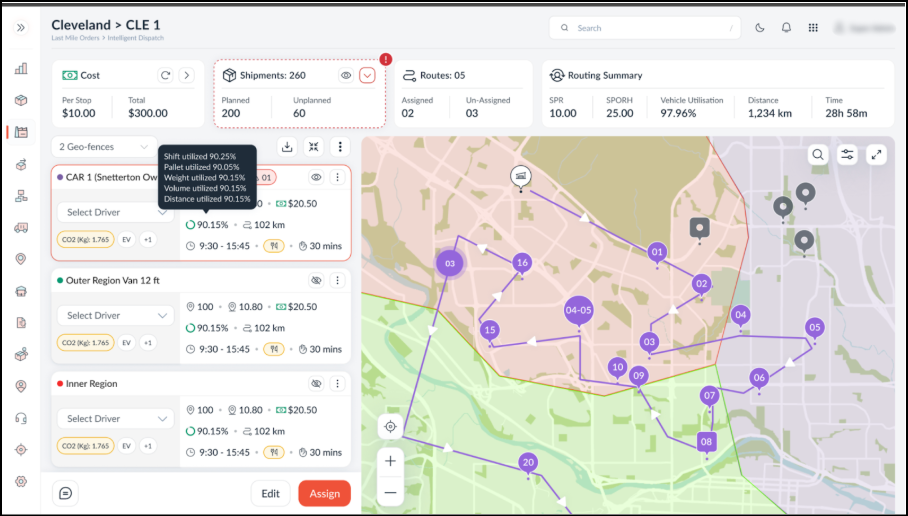
To remove ambiguity and enable faster decision-making, the system now displays actual capacity values alongside percentages when hovering over utilisation indicators. Users can immediately view the exact usage versus total capacity for weight, volume, pallets, distance, and shift hours. This enhancement provides operators with precise context instead of abstract ratios, ensuring more accurate operational control.
Unified Multi-Part Shipment (MPS) Management for Hyperlocal Operations
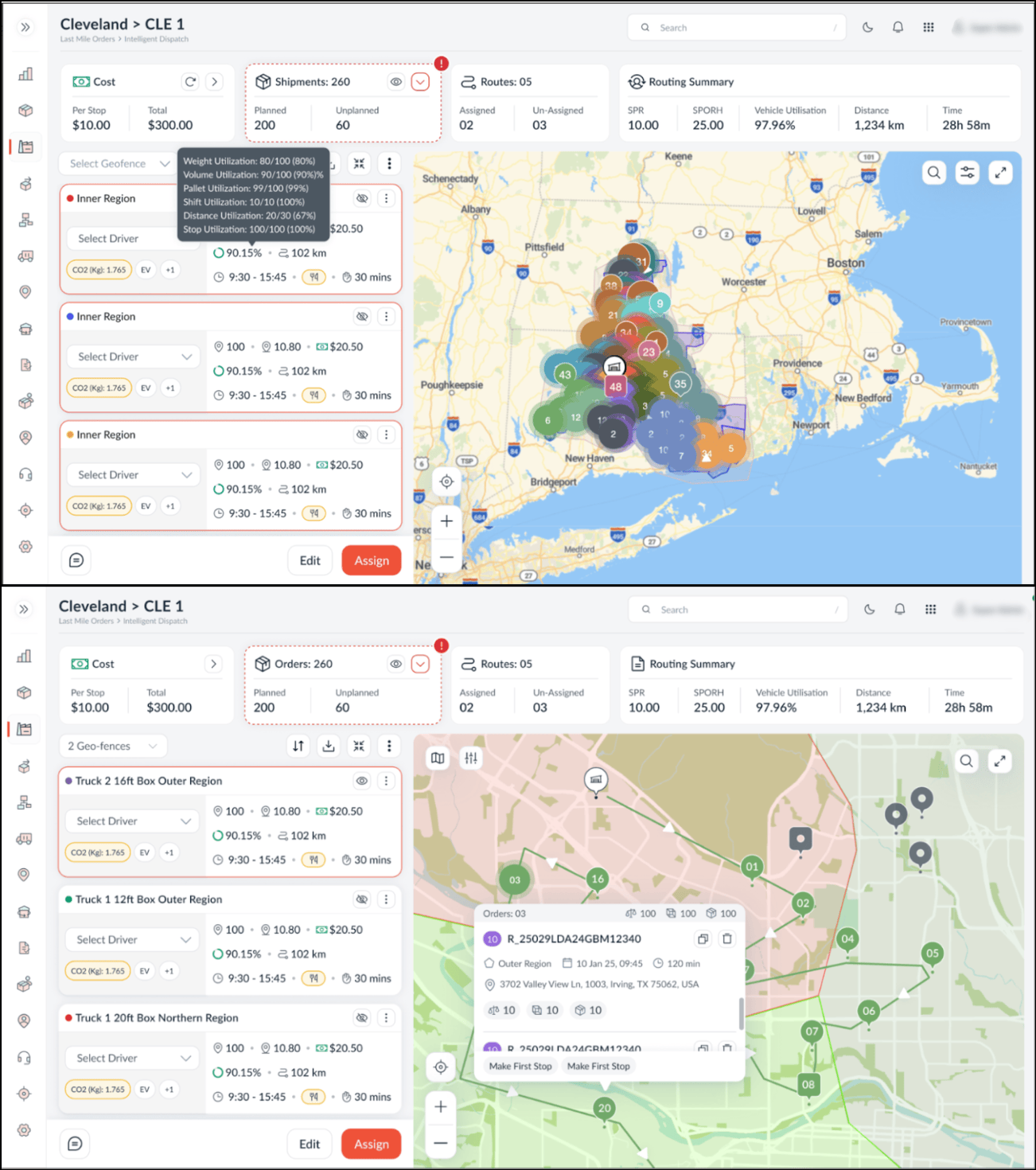
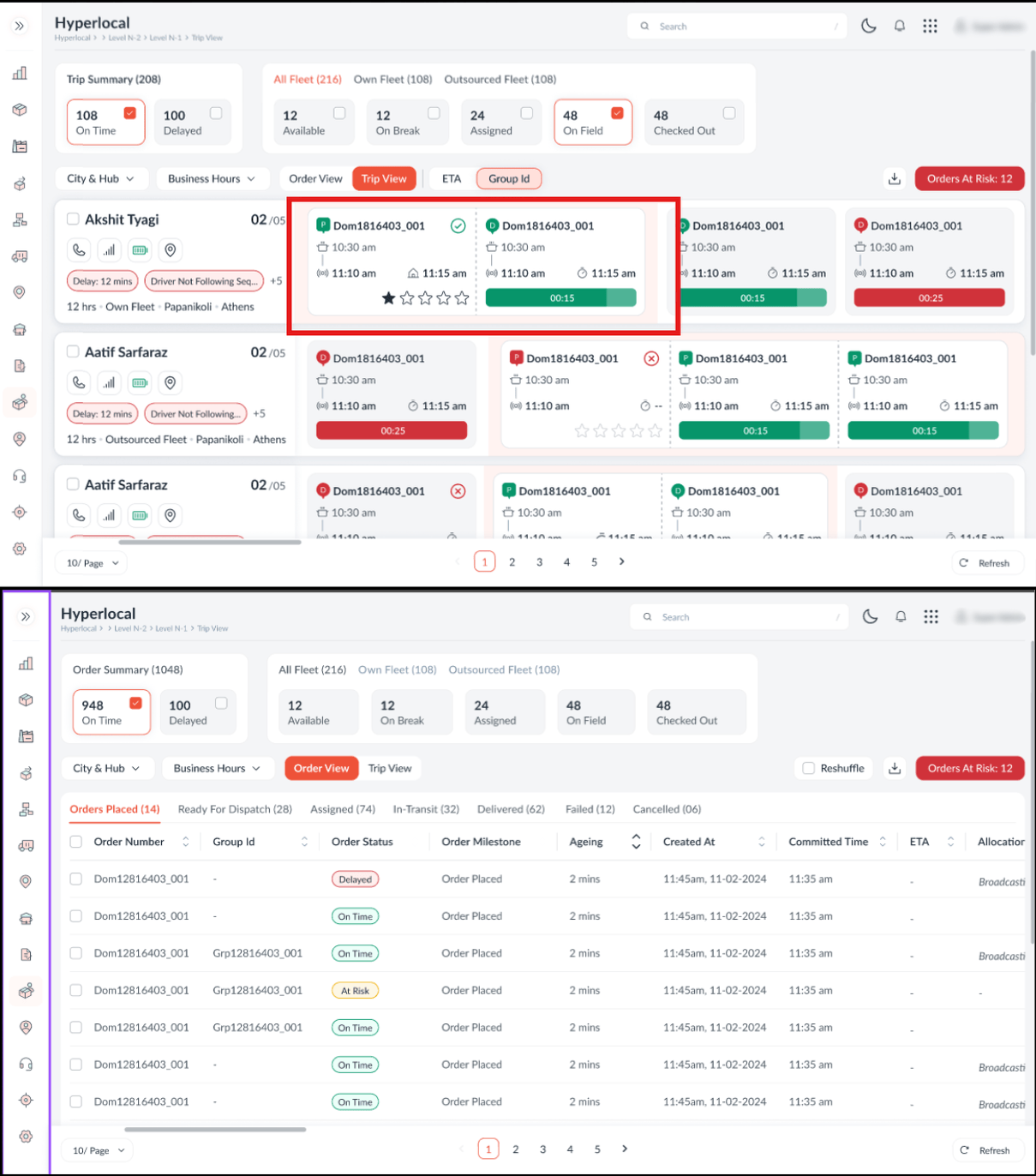
To streamline the management of multi-part orders and ensure operational consistency, the system now groups related jobs using a unique Group ID within the Hyperlocal Trip View. This enhancement introduces a dedicated Group ID column on all Order View tabs and visual grouping in the Trip Details Order Summary, enabling dispatchers to identify and manage related pickups and deliveries as a single logical unit.
Crucially, the system enforces synchronised actions: selecting, unassigning, or changing the driver for one job automatically applies the action to all jobs within the same group. This prevents partial unassignment errors; ensures grouped orders are handled together; and restricts partial or mixed actions, while jobs without a group ID continue to function independently.
Geofence-Restricted Trip Completion for Fair Hyperlocal Assignment
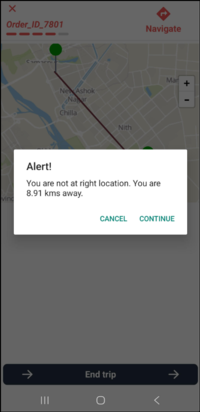
To ensure accurate driver availability and enable fairer order assignment, the card view now implements a location validation check when updating the end trip status in Hyperlocal. The mobile app triggers a location mismatch alert if the driver is outside the designated delivery radius (e.g., 100 metres). This notification warns the driver of the discrepancy while allowing them to proceed with the status update if necessary. This ensures that field executives are aware of location requirements for optimal routing allocation while retaining the flexibility to manage operational exceptions.
Configurable Stop Details and Document Access
The Clubbed View now displays configurable stop details and enables direct document retrieval to enhance operational efficiency. Drivers can view essential stop data and use the stop-level menu (three dots) to instantly open attached documents, PDFs, or images. This unified functionality ensures that all critical information and files are easily accessible right at the point of delivery.