Table of Contents
Let Our Experts Optimize Your Deliveries Today
Let's talkOrder level tracking for Multipart Shipments
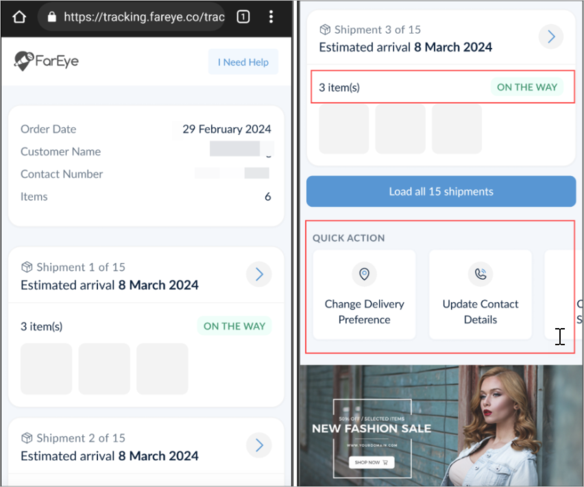
If there are 15 parcels in a multipart shipment, then using a single Customer Interaction link, all shipments in the order can be tracked at the order level as well as at the individual shipment level.
The shipments in the order are interlinked in a single tracking link so that end-customers can scroll through the tracking screen to view the shipment details. There is no need to generate multiple tracking links for individual shipments.
Order-level tracking:
A series of enhancements for Pickup and Scanning modules
Online module to ‘Assign order to Hub’
Improve drivers’ experience by eliminating the need to download large pickup manifest data on mobile devices. Using this feature, the following actions can be performed:
- The jobs that are ‘assigned to a hub’ can be in the thousands. These jobs can now be downloaded from the server on the go.
- Drivers will see the job listing page (Tabs)/Bulk page without any jobs (as the jobs assigned to hubs will not be visible to them).
- On scanning reference numbers, related jobs will be downloaded and displayed on the mobile devices and drivers can perform the required actions.
‘Pickup Scan’ enhancement for Bulk Pickup
For every pickup, a code is linked. Sometimes, there is a possibility that a single seller can have multiple pickup codes for several pickups but the pickup location is the same. To avoid multiple actions for pickup codes, drivers can select multiple pickups at a time and perform the pickup altogether using Bulk Update. Refer to the example below:
Before:
| Pickup code (for same seller) | Pickup parcels |
| J1 | P1, P2, P3 |
| J2 | P4, P5 |
| J3 | P6, P7 |
After:
| Pickup code (for the same seller) | Pickup parcels |
| J1, J2, J3 (select all pickup codes) | P1, P2, ...P7 (all parcels will be selected in one go) |
Device scanner focus support in the FarEye mobile app
For the Bulk module and Tabbed Job Listing screens, the cursor will be positioned in the right place for hardware device scanning. The driver does not need to click on the search bar to position the cursor for successful scanning.
Superior User Experience on the Outscan Module
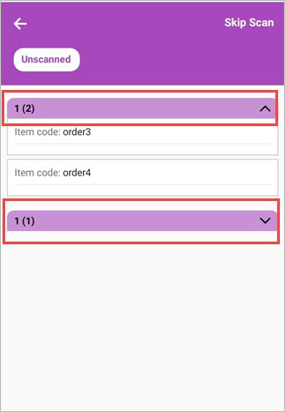
While adding a new job in the Outscan module, the ‘stop-wise’ jobs will now be displayed in an accordion list. This list displays jobs in an expandable/collapsible format.
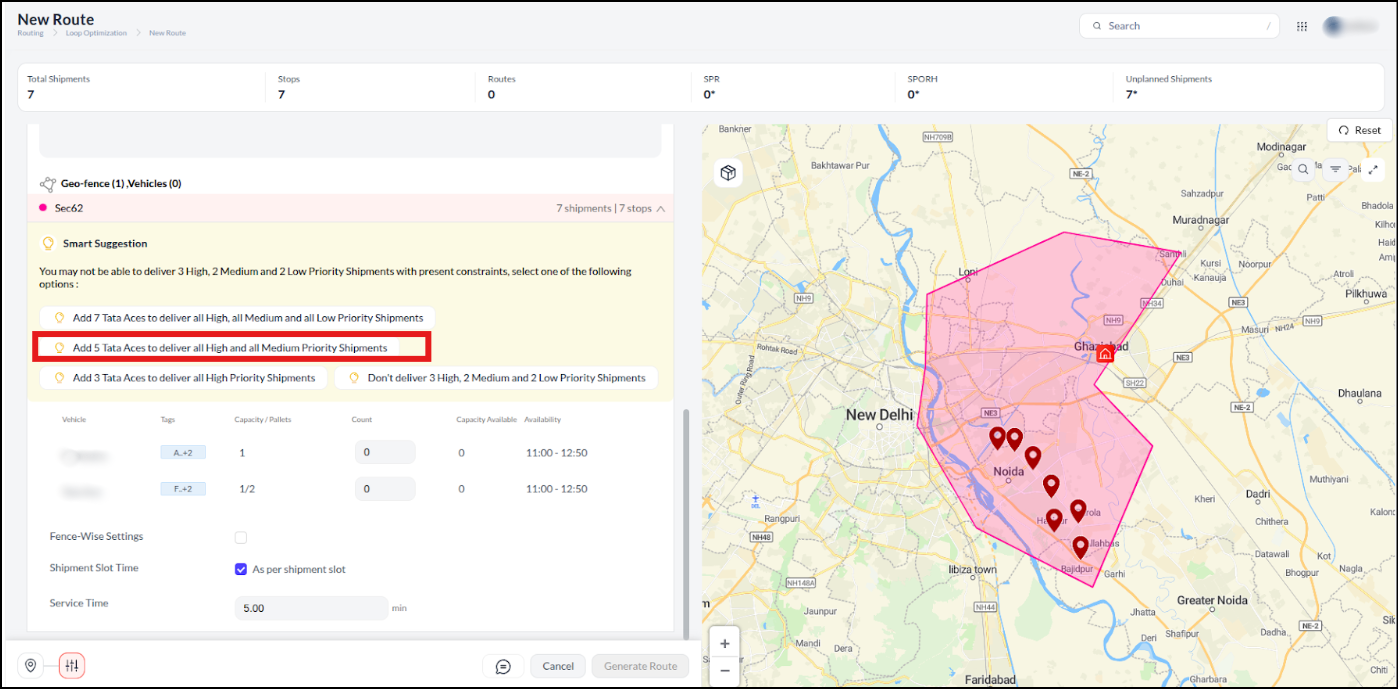
In-App Routing Optimizations
- The routing count is optimized by limiting the number of routing attempts.
- Improved and synchronized Routing for loading as well as for the last mile to avoid the generation of inefficient routes.
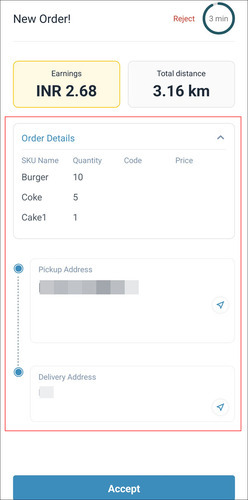
Improved UX of Order Broadcasting for Hyperlocal
Improved user experience of the Order Broadcasting (New Order) screen for the hyperlocal deliveries with configurable order details. The order attributes to be displayed on the screen can be mapped according to the requirements.
Pickup sync controls
A configurable feature to pause pickup sync for hub inbounding. In case, a driver gets auto-logged out during scanning and logs in again, the scanned pickup data will be reflected on their mobile screen. For example, if a driver scans 50 out of 100 jobs and gets auto-logged out, then on re-login, all jobs (whether scanned or due for scanning) will be displayed accordingly to the driver until the scanning task is completed.
PUDO (Pickup/Dropoff) Enhancement
An alert message is displayed to the PUDO user if an invalid Sleeve Number is entered under Parcel Details. This is done to ensure that the Sleeve Number entered by the user matches with the denominations that we have stored as part of the configuration settings.
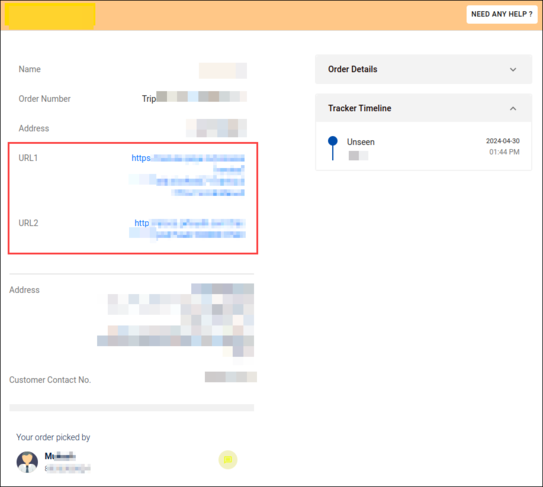
Experience an improved interface for the customer interaction screen with clickable links for the end customers. These can be configured to redirect customers to external links for order tracking (POD & Gate Pass), payment gateways, and also for order information & the home screen.
In-app Routing Enhancements
Consistent Design Language: In-app routing interface elements are displayed in a consistent layout on the Loading and Last Mile Delivery screens for easy adoption and usage. The routing capabilities work alike in both the modules.
- Drivers can optimize routes on both the Loading and Last Mile Delivery screens based on the configured number of attempts.
- Visualization for drivers in case the route is already optimized once.
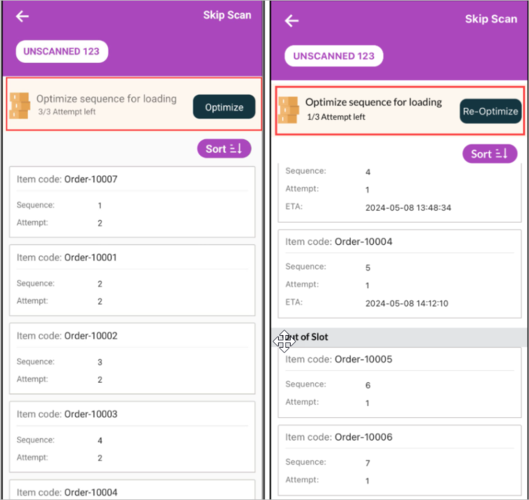
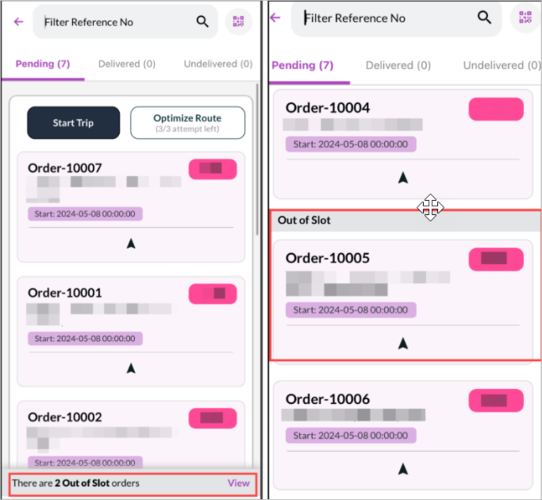
Complete visibility of ‘Out of Slot’ orders after In-app routing on the Last Mile Delivery and Loading screens.
- View the total number of ‘Out of Slot’ orders.
- View the order details and prioritize delivery of individual orders.